Comparisons
Remotion Alternative: Zvid for Managed Video Automation
Compare Remotion and Zvid for visual authoring, reusable templates, data-driven video, previews, managed rendering, bulk jobs, and webhooks.
By Mina RamzyPublished Updated
Remotion Alternative: Zvid for Managed Video Automation
Zvid is a practical Remotion alternative when you want the video project, render queue, bulk orchestration, output hosting, and webhook delivery managed as one service. Remotion is a strong fit when your team wants the composition itself to be React code and is comfortable choosing and operating the surrounding render infrastructure.
That distinction is more useful than the old comparison. Remotion now supports interactive drag-and-drop editing in Remotion Studio and saves changes back to code. It also supports prop-driven compositions, an embeddable Player, and local, server, serverless, and in-browser rendering options. Any evaluation that describes it as code-only or says it has no visual workflow is outdated.
The current Remotion capabilities referenced here come from its official product overview, parameterized rendering documentation, Player documentation, and rendering documentation. Zvid behavior comes from the current Zvid documentation and live API contracts.
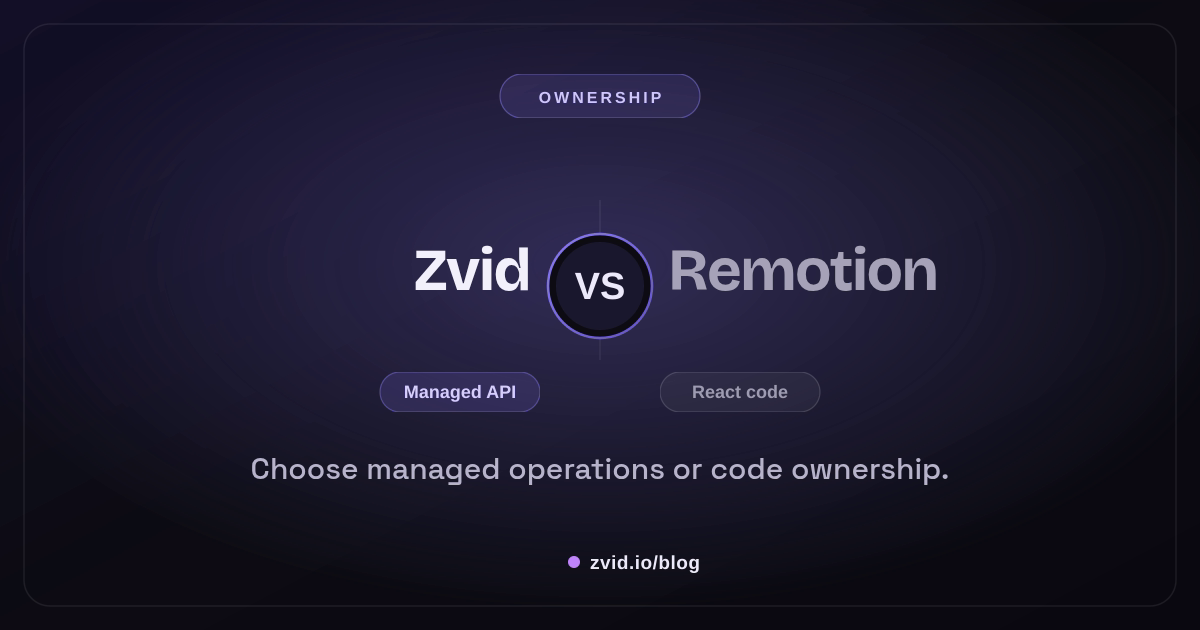
Rendered in Zvid from a reusable template with article-specific variables.
The short answer: choose the operating model
Choose Remotion when:
- React is already the language of your design system.
- Developers should own composition logic, reusable components, and animation behavior in source control.
- You need arbitrary JavaScript logic inside the composition.
- You want to embed the Remotion Player in a product and control the surrounding application.
- Your team is prepared to select and operate a rendering target or use a Remotion rendering product.
Choose Zvid when:
- Designers and developers need to work on the same project without translating a mockup into a separate render implementation.
- A stored template should expose a narrow variable contract to the application.
- Conditions and array-driven scene iteration should be configuration rather than application code.
- You want validation, queueing, rendering, bulk submission, hosted outputs, and webhook delivery behind one HTTP API.
- The same system must render videos and still images.
Neither list makes one platform universally better. It tells you where the complexity and ownership live.
What “code-owned” means in Remotion
A Remotion video is a React composition. Props carry request-specific data, React components express the visual structure, and the project can use normal JavaScript and TypeScript abstractions.
type LaunchVideoProps = {
  productName: string;
  accent: string;
  features: string[];
};

export const LaunchVideo = ({
  productName,
  accent,
  features,
}: LaunchVideoProps) => {
  return (
    <AbsoluteFill style={{ backgroundColor: '#08111f' }}>
      <Hero title={productName} accent={accent} />
      {features.map((feature, index) => (
        <Sequence key={feature} from={90 + index * 60} durationInFrames={60}>
          <FeatureCard text={feature} />
        </Sequence>
      ))}
    </AbsoluteFill>
  );
};
This model gives engineers enormous expressive power. The same tools used for web applications—components, packages, tests, linting, typed props, branches, and pull requests—can govern the video.
It also means the composition is a software project. Dependency upgrades, browser behavior, font and media loading, deployment, concurrency, observability, and render retries still need an owner. Which responsibilities you operate depends on whether you render locally, on your own server, with a serverless option, or through another supported rendering path.
What “managed template” means in Zvid
A Zvid project is structured JSON. You can create it in the visual editor, export it to the API, or import API JSON back into the editor. When the creative is stable, save it as a template and expose variables as the request contract.
{
  "name": "ai-tool-launch",
  "resolution": "full-hd",
  "variables": {
    "productName": "Signal AI",
    "accent": "#8B5CF6",
    "features": [
      { "title": "Summarize research", "icon": "https://cdn.example.com/research.webp" },
      { "title": "Draft the brief", "icon": "https://cdn.example.com/brief.webp" }
    ],
    "showCta": true
  },
  "scenes": [
    {
      "id": "hero",
      "duration": 3,
      "visuals": [
        { "type": "TEXT", "text": "Meet {{productName}}" }
      ]
    },
    {
      "id": "feature",
      "iterate": "features",
      "iterateAs": "feature",
      "duration": 2.5,
      "visuals": [
        { "type": "IMAGE", "src": "{{feature.icon}}", "resize": "contain" },
        { "type": "TEXT", "text": "{{feature.title}}" }
      ]
    },
    {
      "id": "cta",
      "condition": "{{showCta}}",
      "duration": 2,
      "visuals": [
        { "type": "TEXT", "text": "Try {{productName}} today" }
      ]
    }
  ]
}
The application renders the stored template with only the values it is allowed to vary:
curl -X POST https://api.zvid.io/api/render/api-key \
  -H "x-api-key: $ZVID_API_KEY" \
  -H "Content-Type: application/json" \
  -d '{
    "template": "tpl_xxxxxxxxxxxxxxxxxxxx",
    "variables": {
      "productName": "Orbit AI",
      "accent": "#14B8A6",
      "features": [
        {"title": "Analyze calls", "icon": "https://cdn.example.com/calls.webp"},
        {"title": "Route follow-ups", "icon": "https://cdn.example.com/tasks.webp"}
      ],
      "showCta": true
    },
    "webhookUrl": "https://app.example.com/hooks/zvid"
  }'
Zvid resolves the variables, expands iterated scenes, prunes false conditions, validates the resulting project, and creates a managed render job. Your service stores the returned job ID and waits for the webhook or checks the job endpoint.
Visual authoring: both have it, but the artifact differs
Remotion Studio lets creators edit and animate visually and save those changes back to code. That is valuable when code is the durable source of truth. A team can review React changes, build custom components, and keep video behavior beside the rest of its application.
The Zvid Editor uses the same JSON project that the render API consumes. It includes a canvas, timeline and scenes, media, subtitles, variable controls, and a preview mode that resolves template values. A designer can adjust typography or timing, save the project as a template, and hand engineering a template ID plus a variable contract.
The handoff question is therefore not “which one has an editor?” It is:
Should the durable artifact be React source code or a managed JSON project/template?
That answer affects review, staffing, deployment, and incident ownership long after the first demo.
Data contracts: props versus template variables
Remotion compositions receive input props. TypeScript and a runtime schema can make that contract explicit, and code can derive any structure from it. If an array is empty, a component can choose a fallback. If a campaign needs a different layout, normal conditional rendering can select one.
Zvid templates define default variables and reference them with {{placeholders}}. Supported values include strings, numbers, booleans, arrays, and objects. The editor shows usages, previews resolved values, and reports undeclared references before saving.
Zvid deliberately keeps structural rules constrained:
conditionaccepts a boolean value or placeholder; it is not a general expression language.iteraterepeats a scene for an array, with{{item}}or a customiterateAsname and{{index}}.- Per-request variables override template defaults.
Those constraints are useful when your application should supply data, not executable layout logic. If the project genuinely needs arbitrary calculations and component trees at render time, React is the more natural abstraction.
Preview and approval workflows
Both products can support previews, but the integration boundary differs.
With Remotion, the Player can render a composition interactively inside a React application. This is powerful for products where users manipulate inputs and see the composition react immediately. Your team owns the input UI, persistence, permissions, and approval state around it.
With Zvid, a team can preview variables inside the editor, use the template preview endpoint to resolve data without spending render credits, and create a low-cost test render before a production batch. The dashboard records projects, templates, render jobs, bulk batches, and webhook deliveries under the same account.
For either platform, do not treat a technically successful render as creative approval. Preview the longest title, the smallest and largest arrays, missing optional fields, portrait and landscape media, and every conditional branch.
Rendering and infrastructure ownership
Remotion documents several rendering choices: local rendering, server-side rendering, serverless rendering, and in-browser rendering. This flexibility lets an engineering team optimize around its architecture. It also creates decisions about browsers, compute, scaling, storage, timeouts, and retries.
Zvid exposes the render system as a service:
- Submit a direct project or stored template.
- Receive a job ID after validation.
- Let Zvid queue and execute the render.
- Receive a signed webhook or retrieve job state.
- Use the resulting CDN URL or copy the asset into your own durable storage.
The managed boundary reduces infrastructure code, but it also means your project must fit the Zvid schema and your workflow must account for plan limits and service behavior. Validate the hardest composition, output format, duration, fonts, and media sources before committing.
High-volume rendering: application loop or native bulk request
In either system, “high volume” requires more than a loop. You need stable item IDs, bounded concurrency, retry rules, idempotency, output reconciliation, and a way to isolate bad records.
Zvid has a native bulk endpoint for one template and many variable sets. It validates items independently, queues valid rows, and reports invalid rows in itemErrors with their original indexes.
{
  "template": "tpl_xxxxxxxxxxxxxxxxxxxx",
  "name": "ai-tools-july",
  "variables": {
    "accent": "#8B5CF6"
  },
  "items": [
    {
      "name": "orbit-ai",
      "variables": {
        "productName": "Orbit AI",
        "features": [{"title": "Analyze calls"}],
        "showCta": true
      }
    },
    {
      "name": "relay-ai",
      "variables": {
        "productName": "Relay AI",
        "features": [{"title": "Route follow-ups"}],
        "showCta": false
      }
    }
  ],
  "webhookUrl": "https://app.example.com/hooks/zvid"
}
The current bulk rendering guide documents up to 500 entries in the API contract, subject to the account's maxBulkItems limit. Every accepted item becomes its own job and produces its own completion event. Failed validation rows can be corrected and resubmitted without replaying successful rows.
With Remotion, you can build batch orchestration around your chosen renderer or use a product that supplies it. Evaluate that complete path—not just composition syntax—against the native Zvid batch lifecycle.
Webhooks and completion handling
Zvid supports a per-request webhookUrl and registered webhooks in the dashboard. Registered deliveries can be HMAC-verified, retried, and inspected in the delivery log. Your receiver should still be idempotent because retries and duplicate delivery are normal realities in distributed systems.
async function handleZvidEvent(event: ZvidEvent) {
  const firstSeen = await events.insertIfAbsent(event.id, event);
  if (!firstSeen) return;

  const render = await renders.findByJobId(event.jobId);
  if (event.status === 'completed') {
    await render.markReady(event.outputUrl);
  } else if (event.status === 'failed') {
    await render.markFailed(event.error);
  }
}
Remotion's completion mechanism depends on the rendering route you select. Include event delivery, retries, status persistence, and output storage in your proof of concept rather than assuming the renderer solves the entire workflow.
A fair proof-of-concept plan
Use one real creative with the cases most likely to break:
- A title long enough to wrap.
- A variable-length feature list, including zero and the allowed maximum.
- Optional CTA and disclosure scenes.
- Remote images with different aspect ratios.
- Captions or audio if the production workflow needs them.
- A small batch containing one deliberately invalid item.
- A simulated duplicate completion event.
Measure:
- Time for a designer to make a revision and for engineering to consume it.
- How clearly the input contract rejects bad values.
- Preview fidelity and branch coverage.
- Render latency distribution, not one successful run.
- Failure visibility and partial-batch recovery.
- Who owns dependencies, compute, queueing, storage, and delivery.
Do not compare only the first MP4. Compare the second design revision and the first production failure.
Map the ecosystem terms to actual ownership
Teams searching for a Remotion alternative encounter overlapping labels: open-source video framework, motion graphics library, AI video editor, rendering engine, and programmatic video platform. Those labels do not describe who owns the code, infrastructure, templates, or review surface. Convert each one into an operational question.
With a React-based framework, developers are writing React components, managing dependencies, reviewing code in GitHub, and operating or purchasing a render path. A related project such as Revideo may solve a different part of that code-owned workflow, so it should be evaluated on its own current documentation. With Zvid, the application supplies project JSON or template variables while Zvid operates the managed rendering service.
AI-powered video creation is another separate layer. An AI model may draft copy, generate media, or propose a scene plan; neither Remotion nor Zvid makes unreviewed model output trustworthy by default. A durable video pipeline stores the proposed content, approved content, render input, and output as distinct artifacts. That is the useful comparison when building automated video systems at high volume.
A practical 2026 shortlist method
The “best Remotion alternatives in 2026” will vary by use case. A code-first SaaS may prefer an open-source Node.js framework and frame-accurate React components. A creative-operations team may prefer built-in visual authoring and a managed backend. A personalized-video product may need both: programmatic video generation upstream and template variables downstream.
Score every candidate on who writes code, who operates video rendering, how previews are approved, how APIs are authenticated, and whether developers can generate videos programmatically without losing reproducibility. A prompt-driven AI-first editor and a deterministic render API are not interchangeable. The best Remotion alternative is the one whose ownership model matches the team that will maintain the video pipelines.
Real Zvid example: a data-driven AI product demo
The video below is rendered by Zvid from its saas-comparison example. The adaptation gives Remotion and Zvid three concrete workflow responsibilities each, then closes with the real decision: code ownership or managed operations. It is the actual variable-resolved output of the comparison workflow, not a generic AI illustration.
A real Zvid render adapted from the published saas-comparison example for this workflow.
The same template can produce another product launch by changing its variables. A bulk request can produce a campaign set, while per-job webhooks reconcile each output with its source record.
Decision matrix
| Decision area | Remotion | Zvid |
|---|---|---|
| Durable creative artifact | React/TypeScript composition | JSON project or stored template |
| Visual authoring | Remotion Studio, saved back to code | Canvas/timeline editor using API-ready JSON |
| Request data | Component props | Declared template variables |
| Structural logic | General React/JavaScript logic | Constrained condition and iterate |
| Interactive product preview | Embeddable Remotion Player | Editor/template preview and render API |
| Render options | Local, server, serverless, or browser paths | Managed Zvid render jobs |
| Native multi-item API | Depends on chosen orchestration path | Bulk video and image endpoints |
| Delivery | Depends on selected renderer and application | Job API, per-request callback, registered signed webhooks |
| Still images | Supported through Remotion rendering workflows | Native PNG, JPG/JPEG, and WebP image jobs |
| Best fit | Teams that want code-level composition ownership | Teams that want a managed editor-to-API template workflow |
Frequently asked questions
Does Remotion have a visual editor?
Yes. Remotion's current product includes Remotion Studio for interactive drag-and-drop editing and animation, with changes saved back to code. Older comparisons that say Remotion has no visual editor are outdated.
Is Zvid a no-code replacement for React?
No. Zvid provides a visual editor and a JSON API, but its dynamic model intentionally uses variables, boolean conditions, and array iteration instead of arbitrary React logic. Choose it when that managed contract fits the project.
Can both platforms render personalized videos?
Yes. Remotion compositions can receive props. Zvid templates receive variables and can expand arrays with iterate. Zvid also provides a native bulk request that fans many variable sets into individual jobs.
Which is easier for high-volume automation?
Zvid includes validation, queueing, bulk requests, hosted outputs, and webhooks as one managed workflow. Remotion gives you more choice over the code and rendering architecture. “Easier” depends on whether your team values managed operations or infrastructure control.
The practical conclusion
Remotion and Zvid now overlap in more places than older comparisons suggest: both can support visual authoring, parameterized creatives, previews, and automated rendering. Their center of gravity is different.
Use Remotion when the composition should behave like a React application and your team wants to own that software surface. Use Zvid when the project should behave like a managed media template with a narrow data contract, visual/API round-tripping, native bulk jobs, and webhook delivery.
The best evaluation is a difficult template, a mixed-quality batch, and a design revision—not a checklist or a hello-world render.