Engineering
JSON Schema for Video Generation: Separate App Data from Render JSON
Design a JSON Schema for app input, map validated data to Zvid template variables, and handle conditions, iteration, previews, and bulk renders safely.
By Mina RamzyPublished
JSON Schema for Video Generation: Separate App Data from Render JSON
The safest JSON Schema for video generation describes the data your application accepts—not every property the rendering engine understands. Validate a narrow business object, normalize it, map it to a versioned Zvid template's variables, preview boundary cases, and let Zvid validate the resolved project before it creates a render job.
This two-contract model prevents callers from controlling layout internals and lets creative teams revise the template without forcing every integration to rewrite its payload. It also produces clearer errors: “feature text is too long” is more useful than a failure deep inside a media layer.
The schema examples below use JSON Schema Draft 2020-12. Zvid template behavior follows the current Template Basics, Dynamic Content, and Variables in the Editor documentation.
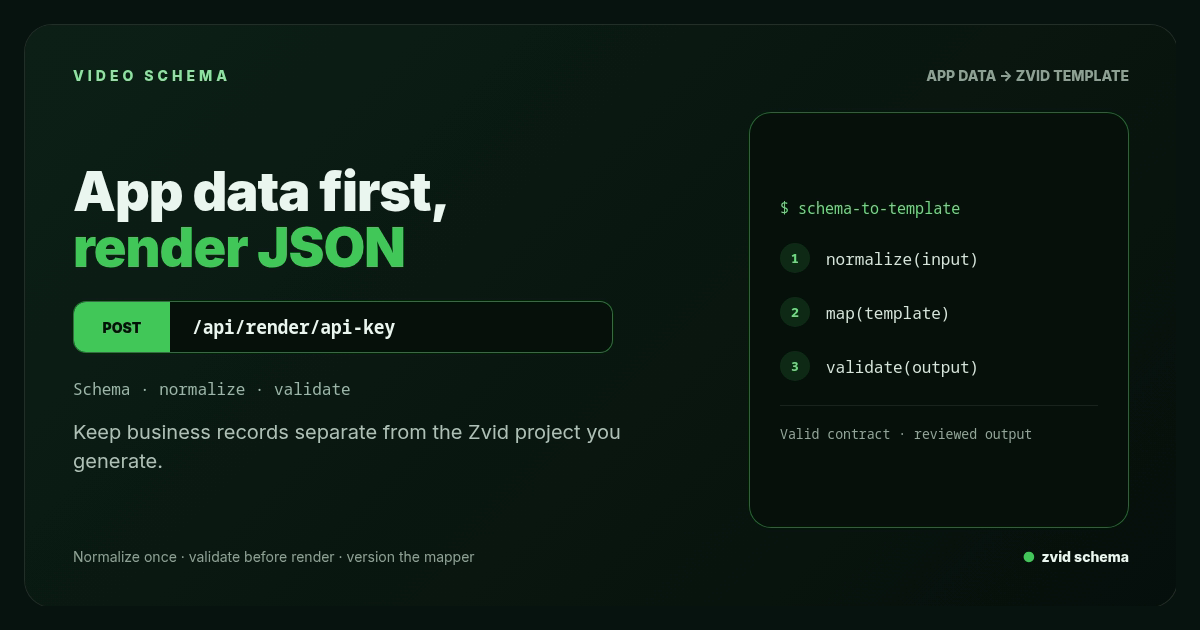
Keep business records separate from the Zvid project you generate.
Use two contracts and one mapper
Keep these artifacts separate:
1. Application input schema
This is the public or internal API contract. It defines business fields such as product name, media URLs, features, campaign flags, and source identity. It owns required values, types, lengths, array limits, and allowed formats.
2. Zvid template
This is the creative contract. It defines resolution, scenes, visual layers, timing, typography, audio, subtitles, template defaults, condition, and iterate behavior.
3. Deterministic mapper
This code converts a validated application object into Zvid variables and output overrides. It may normalize whitespace, choose a known fallback, derive booleans, or transform a branded color token. It should not invent uncontrolled copy or layout.
caller JSON -> app schema -> normalized model -> mapper -> template variables
                                                        -> Zvid preview/render validation
Do not expose the full Zvid project payload merely because the render endpoint can accept one. Direct payload rendering is useful for trusted engineering workflows. A product-facing endpoint usually benefits from a smaller contract.
A worked schema for an AI product video
Assume the application generates a short launch video with a hero, an array of features, an optional proof line, and an optional CTA.
{
  "$schema": "https://json-schema.org/draft/2020-12/schema",
  "$id": "https://schemas.example.com/video/ai-product-launch/v1.json",
  "title": "AI product launch video input",
  "type": "object",
  "additionalProperties": false,
  "required": ["requestId", "product", "features"],
  "properties": {
    "requestId": {
      "type": "string",
      "pattern": "^[A-Za-z0-9][A-Za-z0-9_-]{5,79}$"
    },
    "product": {
      "type": "object",
      "additionalProperties": false,
      "required": ["name", "tagline", "logoUrl", "accent"],
      "properties": {
        "name": {"type": "string", "minLength": 1, "maxLength": 42},
        "tagline": {"type": "string", "minLength": 1, "maxLength": 90},
        "logoUrl": {"type": "string", "format": "uri", "maxLength": 2048},
        "heroVideoUrl": {"type": "string", "format": "uri", "maxLength": 2048},
        "accent": {
          "type": "string",
          "pattern": "^#[0-9A-Fa-f]{6}$"
        }
      }
    },
    "features": {
      "type": "array",
      "minItems": 1,
      "maxItems": 5,
      "items": {
        "type": "object",
        "additionalProperties": false,
        "required": ["title", "iconUrl"],
        "properties": {
          "title": {"type": "string", "minLength": 1, "maxLength": 54},
          "iconUrl": {"type": "string", "format": "uri", "maxLength": 2048},
          "featured": {"type": "boolean", "default": false}
        }
      }
    },
    "proof": {
      "type": "object",
      "additionalProperties": false,
      "required": ["text", "source"],
      "properties": {
        "text": {"type": "string", "minLength": 1, "maxLength": 100},
        "source": {"type": "string", "minLength": 1, "maxLength": 60}
      }
    },
    "cta": {
      "type": "object",
      "additionalProperties": false,
      "required": ["label", "url"],
      "properties": {
        "label": {"type": "string", "minLength": 1, "maxLength": 28},
        "url": {"type": "string", "format": "uri", "maxLength": 2048}
      }
    }
  }
}
Important design choices are visible:
additionalProperties: falsecatches misspelled and unexpected fields.- String limits come from layouts tested by the creative team, not arbitrary database sizes.
- The feature count is bounded before it can expand the timeline.
- Optional blocks are absent as a whole; the mapper derives simple render flags.
requestIdgives the application an idempotency key.- URL shape is checked here, while reachability and media compatibility are checked later.
JSON Schema's format behavior depends on the validator configuration. Enable URI format validation explicitly and still enforce an application URL policy.
Validate before creating a render record
Compile the schema at service startup, not for every request. Return field-level errors with JSON Pointer paths.
type ValidationIssue = {
  path: string;
  code: string;
  message: string;
};

function toIssues(errors: SchemaError[]): ValidationIssue[] {
  return errors.map((error) => ({
    path: error.instancePath || '/',
    code: `schema.${error.keyword}`,
    message: error.message ?? 'Invalid value',
  }));
}
A useful API response is stable and machine-readable:
{
  "error": "invalid_video_input",
  "issues": [
    {
      "path": "/features/1/title",
      "code": "schema.maxLength",
      "message": "must NOT have more than 54 characters"
    }
  ]
}
Do not return your validator's stack trace, schema internals, API key, or render payload. Log a request correlation ID and safe error metadata instead.
Add semantic validation after JSON Schema
JSON Schema handles structure well, but application rules often depend on external state or relationships:
- Only
httpsmedia URLs are allowed in production. - Hosts must be on an allowlist or pass SSRF-safe resolution.
requestIdmust be unique for the caller and payload.- The caller must be authorized to use the requested brand.
- Media assets must be reachable and within size and duration limits.
- Proof copy must be approved for the selected campaign or jurisdiction.
Keep these errors distinct from syntax and schema errors. A clean validation pipeline is:
parse -> schema -> authorization -> semantic checks -> normalization -> render mapping
Normalize once, then preserve the normalized input
Normalization should be deterministic:
function normalize(input: LaunchInput): LaunchInput {
  return {
    ...input,
    product: {
      ...input.product,
      name: input.product.name.trim().replace(/\s+/g, ' '),
      tagline: input.product.tagline.trim().replace(/\s+/g, ' '),
      accent: input.product.accent.toUpperCase(),
    },
    features: input.features.map((feature) => ({
      ...feature,
      title: feature.title.trim().replace(/\s+/g, ' '),
      featured: feature.featured ?? false,
    })),
  };
}
Store the normalized, schema-valid input or a durable reference to it with the schema version and template version. That record makes rerenders and audits reproducible.
Avoid silent transformations that change meaning. Do not truncate copy to fit. Reject it with a layout-aware limit so the caller can provide approved text.
Map application data to Zvid variables
The mapper exposes only values the template expects:
function toZvidRequest(input: LaunchInput) {
  return {
    template: process.env.ZVID_AI_LAUNCH_TEMPLATE_ID,
    variables: {
      productName: input.product.name,
      tagline: input.product.tagline,
      logoUrl: input.product.logoUrl,
      heroVideoUrl: input.product.heroVideoUrl ?? '',
      accent: input.product.accent,
      features: input.features,
      showHeroVideo: Boolean(input.product.heroVideoUrl),
      showProof: Boolean(input.proof),
      proofText: input.proof?.text ?? '',
      proofSource: input.proof?.source ?? '',
      showCta: Boolean(input.cta),
      ctaLabel: input.cta?.label ?? '',
      ctaUrl: input.cta?.url ?? '',
    },
    overrides: {
      name: input.requestId,
    },
    webhookUrl: process.env.ZVID_RENDER_WEBHOOK_URL,
  };
}
The request sends either template or payload, never both. Request variables override template defaults. overrides.name controls the output name without opening the full project to the caller.
Use condition for optional structure
In the Zvid template, a boolean variable can prune a scene or element:
{
  "variables": {
    "showProof": false,
    "proofText": "",
    "proofSource": "",
    "showCta": true,
    "ctaLabel": "Start free"
  },
  "scenes": [
    {
      "id": "proof",
      "condition": "{{showProof}}",
      "duration": 2.5,
      "visuals": [
        {"type": "TEXT", "text": "{{proofText}}"},
        {"type": "TEXT", "text": "— {{proofSource}}"}
      ]
    },
    {
      "id": "cta",
      "condition": "{{showCta}}",
      "duration": 2,
      "visuals": [
        {"type": "TEXT", "text": "{{ctaLabel}}"}
      ]
    }
  ]
}
Zvid conditions accept boolean values or placeholders; they are intentionally not a general expression language. Derive showProof in trusted application code instead of placing business logic inside the template.
Use iterate for bounded arrays
The feature array can generate one scene per item:
{
  "id": "feature",
  "iterate": "features",
  "iterateAs": "feature",
  "duration": 2.4,
  "transition": "slideleft",
  "visuals": [
    {
      "type": "IMAGE",
      "src": "{{feature.iconUrl}}",
      "width": 220,
      "height": 220,
      "resize": "contain"
    },
    {
      "type": "TEXT",
      "text": "{{feature.title}}"
    }
  ]
}
Inside the scene, {{feature}} is the current object and {{index}} is the zero-based position. Zvid expands the scene during template resolution. The current default documented limit is up to 50 items per iterated scene and 100 scenes after expansion, with active plan limits reported by validation. Your app schema should usually set a much smaller creative limit.
Iteration builds repeated structure inside one output. Bulk rendering builds many outputs from many variable sets. They solve different dimensions and can be combined.
Preview before spending on final renders
A stored template can be previewed through POST /api/templates/{id}/preview. The editor also has a variable preview toggle that resolves placeholders on the stage and previews the first iterated item and condition state.
Build a boundary fixture set:
minimum.json             one feature, no optional blocks
maximum.json             five features, all optional blocks
long-valid-copy.json     every string at its accepted limit
mixed-media.json         portrait, square, and landscape sources
cta-off.json             conditional CTA absent
proof-on.json            conditional proof present
Preview each fixture whenever the application schema, mapper, or template changes. Then render a smaller golden set and review opening, middle, and final frames plus playback.
Keep validation layers distinct
A caller may encounter failures at different stages:
| Stage | Example | Owner | Response |
|---|---|---|---|
| JSON parse | Trailing comma | Application | 400 invalid_json |
| App schema | Six features | Application | 422 invalid_video_input with /features |
| Authorization | Brand not allowed | Application | 403 |
| Semantic media check | Private-network URL | Application | 422 unsafe_media_url |
| Template mapping | Missing internal variable | Application test/deployment | Block release |
| Zvid validation | Resolved scene exceeds active limit | Zvid submission | Store field-level error; do not retry unchanged |
| Render execution | Remote asset fails during render | Zvid job | Process render.failed; decide whether source changed |
Do not collapse every failure into “invalid JSON.” Syntax, schema, template resolution, and render execution need different fixes.
Version the schema, mapper, and template together
Treat the three artifacts as a release unit:
{
  "schemaVersion": "ai-product-launch@1",
  "mapperVersion": "git:7f12c9a",
  "templateId": "tpl_xxxxxxxxxxxxxxxxxxxx",
  "templateRevision": "2026-07-16"
}
Recommended rules:
- Add optional fields compatibly within a version.
- Create a new major schema version for renamed, removed, or semantically changed fields.
- Duplicate a stable Zvid template before a risky creative revision.
- Keep old template IDs available while old requests can still be replayed.
- Record all versions on the local render row.
- Run contract fixtures and visual golden renders before changing production routing.
The public API should not point to “whatever template was edited most recently” without a release step.
Bulk rendering with the same contract
Validate every source record with the application schema before calling Zvid. Then map valid records into bulk items:
{
  "template": "tpl_xxxxxxxxxxxxxxxxxxxx",
  "name": "ai-launches-july",
  "items": [
    {
      "name": "orbit-launch-0042",
      "variables": {
        "productName": "Orbit",
        "features": [{"title": "Analyze calls", "iconUrl": "https://cdn.example.com/calls.webp"}],
        "showProof": false,
        "showCta": true
      }
    },
    {
      "name": "relay-launch-0043",
      "variables": {
        "productName": "Relay",
        "features": [{"title": "Route follow-ups", "iconUrl": "https://cdn.example.com/tasks.webp"}],
        "showProof": true,
        "showCta": false
      }
    }
  ],
  "webhookUrl": "https://app.example.com/hooks/zvid"
}
Zvid performs best-effort item validation: valid items become jobs and invalid ones return in itemErrors with their original index. Preserve the mapping from each index to its source record, then fix and resubmit only failed rows.
Security rules for schema-driven generation
A valid JSON document is not automatically safe:
- Restrict URL schemes and resolve destinations with SSRF protections.
- Never map caller text into raw HTML, CSS, or JavaScript without an explicit trusted policy.
- Limit strings, arrays, object depth, request bytes, and media sizes.
- Keep API keys on the server; the browser calls your authenticated endpoint.
- Authorize template and brand selection per tenant.
- Treat callback URLs as server configuration, not arbitrary caller input.
- Redact personal data and signed media URLs from logs.
- Set retention rules for inputs and generated outputs.
The smaller the public schema, the easier these rules are to enforce.
Keep JSON Schema, JSON prompts, and JSON-LD separate
Three JSON formats may appear in one video product, but they solve different problems. JSON Schema validates application input. A JSON prompt structures instructions for an AI generator. JSON-LD describes published content for search engines—for example, an Article or VideoObject. Treating them as interchangeable creates weak validation and confusing ownership.
An AI JSON response should first be parsed and checked against the application schema. The application can then normalize that structured data and map it into Zvid template variables. Natural language remains useful for ideation, but required IDs, media references, enumerations, and length limits belong in the schema. This lets a developer reject an invalid proposal before it becomes a video workflow failure.
After rendering and review, the publishing system may create separate JSON-LD with the final title, description, thumbnail, duration, and asset URL. That metadata is not a render instruction and should not be passed to the template merely because it is JSON. Clear contracts let a creator tool integrate AI assistance without giving a generator control over delivery metadata or layout.
Real Zvid example: schema-to-template workflow
The video below is rendered by Zvid from the ai-workflow example. It shows the path this guide describes in three stages — validate the incoming product data, normalize it into template variables, and resolve the final project — closing on a prompt to preview before rendering.
A real Zvid render adapted from the published ai-workflow example for this workflow.
The inline image is a Zvid-rendered API-guide card. It is intentionally the only in-article still: the actual video demonstrates the behavior better than a gallery of decorative screenshots.
Frequently asked questions
Does Zvid require JSON Schema?
No. Zvid validates its project and template contract directly. JSON Schema is an application-layer pattern for controlling the data your own callers can submit before mapping it to Zvid variables.
Should a public API accept the full Zvid payload?
Usually not. A narrow application schema reduces coupling and prevents callers from controlling layout, code-capable fields, timing, or resource-heavy structure. Trusted internal tooling may choose direct payload rendering.
What is the difference between iterate and bulk rendering?
iterate repeats a scene from an array inside one video. Bulk rendering creates many independent video jobs from many variable sets. A workflow can use both.
How should optional scenes be modeled?
Use an optional application object, derive a boolean such as showProof in the mapper, and bind that boolean to the Zvid scene's condition field.
Make the boundary explicit
A durable video-generation API does not expose a rendering engine and hope callers behave. It defines business input, rejects invalid data at a useful path, maps the accepted model to a versioned creative, and preserves every version needed to reproduce the result.
Zvid templates then provide the controlled dynamic layer: variables for substitution, condition for optional structure, iterate for bounded arrays, preview for creative review, bulk for many outputs, and webhooks for reconciliation. Keeping those responsibilities separate makes both the API and the video easier to evolve.