Planning
Video API Cost Calculator: Model the Whole Zvid Workflow
Estimate Zvid video and image credits, successful creative rerenders, bulk rounding, storage, delivery, and review labor without inventing plan prices.
By Mina RamzyPublished Updated

Video API Cost Calculator: Model the Whole Zvid Workflow
A useful video API cost calculator needs more than “number of videos × price per video.” For Zvid, model output duration, resolution tier, completed creative rerenders, image batches, subscription and add-on credit inputs, storage, delivery, external media services, and review labor. Keep current platform facts separate from assumptions so the forecast can be updated without rewriting the model.
The official Zvid credits and limits guide is the source of truth for credit rules. Current plan prices live on the Zvid pricing page and in the account dashboard. This article deliberately does not copy a monthly price that can become stale.
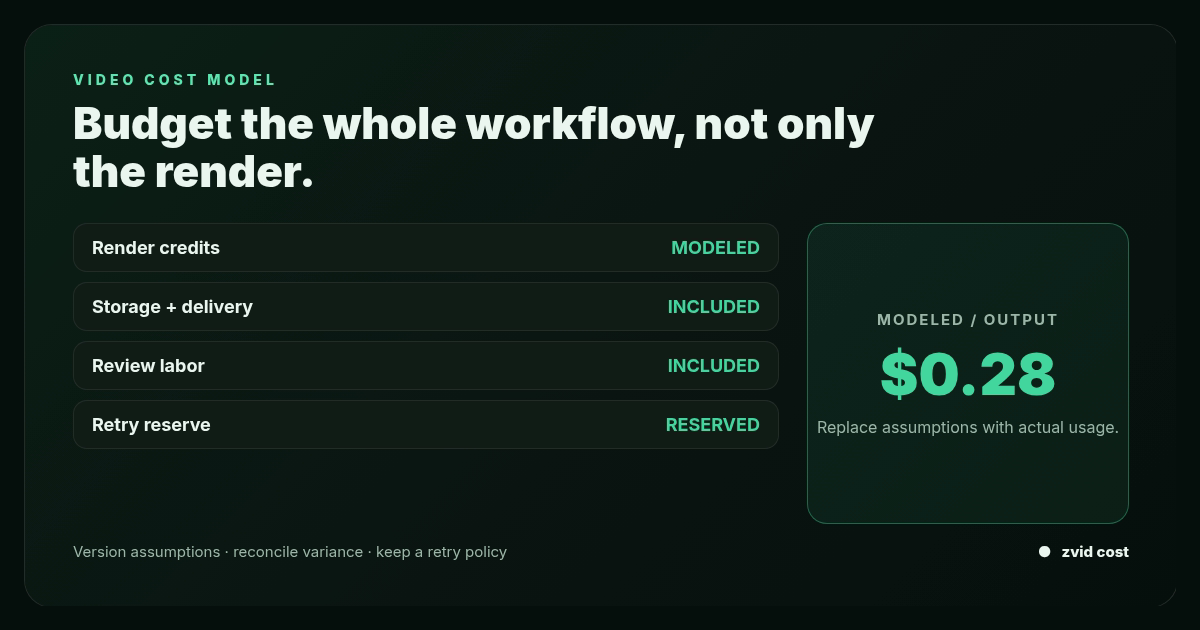
Budget the whole workflow, not only the render; Version assumptions, reconcile variance, and keep a retry policy.
Current Zvid credit rules
As of July 16, 2026, Zvid documents:
- Video up to Full HD, including a 1080 × 1920 vertical output: 1 credit per output second, rounded up.
- Video above Full HD and up to 4K: 4 credits per output second, rounded up.
- Images: 1 credit per 10 images, rounded up; one image submitted alone costs 1 credit.
- Credits are reserved when a job queues.
- Failed or canceled jobs are refunded automatically.
POST /api/credits/estimateestimates a project before submission.- Duration, output resolution, element counts, scenes after iteration, iterate items, stored templates, bulk items, and webhooks are plan-limited.
Check the live documentation and dashboard before approving a budget. Treat the date above as part of the model version.
Separate facts, assumptions, and observed data
Use three input classes.
Platform facts
- Credit rate by output type and resolution tier
- Rounding rule
- Refund behavior
- Active subscription credit allowance
- Add-on credit balance and price
- Current plan limits
Planning assumptions
- Outputs requested per period
- Duration distribution
- Resolution mix
- Expected creative rejection and rerender rate
- Image count and grouping
- Review sample size and minutes per review
- Storage retention and delivery volume
- External transcription, voice, stock, or AI-media usage
Observed production data
- Actual completed duration
- Credits reserved and refunded
- Completed outputs rejected by review
- Rerender reason
- Average review time
- Output bytes and delivery
- Batch item validation failures
Start a pilot with assumptions, then replace them with observed percentiles. Do not keep a spreadsheet “8% rerender rate” forever after the production workflow can measure it directly.
Define the calculator inputs
type VideoClass = {
  name: string;
  requestedOutputs: number;
  averageDurationSeconds: number;
  resolutionTier: 'full-hd-or-below' | 'above-full-hd';
  completedCreativeRerenderRate: number;
};

type ImageClass = {
  name: string;
  requestedImages: number;
  completedCreativeRerenderRate: number;
  averageImagesPerBulkRequest: number;
};

type Operations = {
  reviewSampleRate: number;
  minutesPerVideoReview: number;
  minutesPerImageReview: number;
  loadedReviewerHourlyCost: number;
  averageVideoBytes: number;
  averageImageBytes: number;
  retentionMonths: number;
  monthlyDeliveryMultiplier: number;
};
Use duration classes rather than one average when the catalog mixes 10-second ads, 45-second explainers, and 5-minute lessons. Rounding each output second before summing can make a single global average inaccurate.
Calculate video credits
For output i:
duration credits_i = ceil(output seconds_i)
resolution multiplier_i = 1 when at or below Full HD, otherwise 4
video credits_i = duration credits_i × resolution multiplier_i
For a class-based forecast:
successful base outputs = requested outputs
successful creative rerenders = requested outputs × creative rerender rate
billable successful renders = base outputs + creative rerenders
credits per render = ceil(average duration seconds) × resolution multiplier
class video credits = billable successful renders × credits per render
Use completed creative rerenders, not every technical attempt. Zvid documents refunds for failed or canceled jobs. A file that rendered successfully but was rejected because the copy, crop, or source data was wrong is still a completed render and should be included.
Model external costs for failed attempts separately if your workflow pays for transcription, voice generation, storage, media preparation, or human diagnosis before the Zvid refund.
Calculate image credits with request grouping
Image rounding occurs by submission group. A single image request costs one credit, while a bulk image request of 25 images costs three credits under the current documented rule.
If all images in a class are submitted in well-filled bulk requests:
billable images = requested images × (1 + creative rerender rate)
image credits ≈ ceil(billable images / 10)
If the workflow sends small separate requests, calculate each request:
total image credits = sum(ceil(images in request_j / 10))
Ten single-image calls cost ten credits under the documented minimum, while one ten-image bulk call costs one. The files are the same; the rounding behavior is not.
Do not delay urgent work solely to fill a batch. Model the tradeoff between credit efficiency and queue latency.
A worked workload scenario
The following inputs are fictional planning assumptions, not Zvid benchmarks:
| Workload | Requested | Duration | Resolution | Completed creative rerenders |
|---|---|---|---|---|
| Vertical product videos | 800 | 18.2 s | 1080 × 1920 | 6% |
| Landscape explainers | 120 | 42.0 s | 1920 × 1080 | 10% |
| 4K property tours | 40 | 31.4 s | above Full HD | 5% |
| Thumbnails/social cards | 1,200 images | n/a | image | 4% |
Product videos
credits per render = ceil(18.2) × 1 = 19
successful renders = 800 + (800 × 0.06) = 848
credits = 848 × 19 = 16,112
Landscape explainers
credits per render = ceil(42.0) × 1 = 42
successful renders = 120 + (120 × 0.10) = 132
credits = 132 × 42 = 5,544
Above-Full-HD tours
credits per render = ceil(31.4) × 4 = 128
successful renders = 40 + (40 × 0.05) = 42
credits = 42 × 128 = 5,376
Images
billable images = 1,200 + (1,200 × 0.04) = 1,248
credits with efficient bulk grouping = ceil(1,248 / 10) = 125
Total forecast
total Zvid credits = 16,112 + 5,544 + 5,376 + 125
                   = 27,157 credits
This is a capacity estimate, not a dollar quote. Compare it with the live subscription allowance and add-on terms in the account. Use conservative rounding or whole-output counts where the planning system cannot represent fractional rerenders.
Implement the model without hidden rounding
const multiplier = (tier: VideoClass['resolutionTier']) =>
  tier === 'above-full-hd' ? 4 : 1;

function estimateVideoClass(input: VideoClass) {
  const base = input.requestedOutputs;
  const creativeRerenders = Math.ceil(
    base * input.completedCreativeRerenderRate,
  );
  const successfulRenders = base + creativeRerenders;
  const creditsPerRender =
    Math.ceil(input.averageDurationSeconds) *
    multiplier(input.resolutionTier);

  return {
    base,
    creativeRerenders,
    successfulRenders,
    creditsPerRender,
    credits: successfulRenders * creditsPerRender,
  };
}

function estimateImageCredits(
  billableImages: number,
  groups: number[],
) {
  const groupedCount = groups.reduce((sum, count) => sum + count, 0);
  if (groupedCount !== billableImages) {
    throw new Error('Image groups must sum to billable images');
  }
  return groups.reduce(
    (credits, count) => credits + Math.ceil(count / 10),
    0,
  );
}
For precise production estimates, calculate each intended video from its resolved duration instead of applying one class average.
Ask Zvid to estimate the actual project
The documented POST /api/credits/estimate endpoint is more authoritative than a local formula because it evaluates the project using current platform rules. Call it after variables, conditions, iteration, and output overrides are resolved enough to represent the intended render.
Use it to:
- Show a pre-submit estimate in an internal tool.
- Reject or require approval for unusually expensive jobs.
- Compare template revisions.
- Verify that local calculator rules still match Zvid.
- Sample bulk item estimates before a large campaign.
Store the estimate, timestamp, template revision, variables checksum, and final creditsReserved from submission. Alert when they differ beyond expected rounding or project changes.
Do not call the estimator for every keystroke in the editor. Debounce interactive use and cache by a safe project checksum where appropriate.
Distinguish four kinds of “retry”
They affect cost differently.
1. Pre-submit correction
Application or template preview rejects invalid data before a render job. No completed render, but engineering or review time may be consumed.
2. Zvid failed or canceled job
Credits are reserved and then refunded under the current documented policy. Include the incident in reliability metrics and external-service costs, not net Zvid credit consumption.
3. Completed creative rerender
The file exists, but review rejects it because of copy, media, crop, timing, or outdated source data. The replacement is another successful render and should be budgeted.
4. Deliberate variant
An A/B hook, language, platform, or client version is not a retry. It is planned output volume and should appear as its own class.
Mixing these categories hides whether the system needs more reliable media, stricter input validation, better template fixtures, or fewer uncontrolled variants.
Add non-render costs
monthly total cost =
  Zvid plan and add-on spend
  + durable storage
  + delivery/egress
  + transcription
  + text-to-speech or voice recording
  + licensed stock or generated media
  + moderation and rights checks
  + human review and revision labor
  + workflow infrastructure
Review labor
video review hours =
  successful video renders × sample rate × minutes per video / 60

image review hours =
  successful images × sample rate × minutes per image / 60

review cost =
  (video review hours + image review hours) × loaded hourly cost
New templates and high-risk content may require 100% review. Mature, low-risk, tightly validated templates may use stratified sampling plus anomaly routing. Do not cut review assumptions simply to make the calculator produce an attractive total.
Storage
new stored bytes =
  video outputs × average video bytes
  + image outputs × average image bytes

retained byte-months =
  new stored bytes × average retention months
Avoid multiplying monthly production by full retention for the first month if the forecast needs a ramp curve. A steady-state estimate differs from initial-month cash usage.
Delivery
Model plays or downloads, cache behavior, and whether the application copies Zvid outputs to its own CDN. Zvid's result URL is convenient, but retention and distribution architecture should follow product policy rather than a cost assumption.
Include plan limits in capacity planning
Credits answer “how much output?” Limits answer “can this project be submitted?” Query or capture active values for:
- Maximum duration and output resolution
- Total visual and per-media-type elements
- Audio and caption elements
- Scenes after
iterateexpansion - Items per iterated scene
- Stored templates
- Bulk items
- Registered webhooks
Zvid validation errors include a planLimits object with active values. Feed those limits into the calculator or preflight UI. A campaign of 400 items may need multiple batches when the account's maxBulkItems is lower; that affects image rounding, orchestration, and delivery timing.
Use bulk rendering for orchestration, not a discount assumption
Bulk rendering sends one template with many variable sets and returns per-item job results and itemErrors. Video credits still apply per accepted job. The key benefits are submission efficiency, source mapping, partial validation, dashboard visibility, and repair of failed rows.
Images have an explicit per-ten rounding behavior where grouping affects credits. Do not assume an undocumented bulk discount for video.
Preserve every source ID, item index, job ID, reserved credits, terminal state, and refund. That ledger makes forecasts auditable.
Optimize quality-adjusted cost
The cheapest render is not useful if it is rejected or ignored. Track:
credits per approved output = net credits / approved outputs
credits per published output = net credits / published outputs
review minutes per approved output
creative rerender rate
invalid item rate
Ways to improve the denominator without lowering quality:
- Preview template boundary fixtures before production.
- Use conditions to remove absent optional scenes instead of rendering blanks.
- Bound iteration arrays to the creative need.
- Normalize and validate source data before bulk submission.
- Preflight media reachability and aspect ratios.
- Version templates and promote only reviewed revisions.
- Keep variant matrices intentional.
- Use native image bulk requests for grouped thumbnails.
- Reconcile failures by item instead of replaying successful batches.
Shortening every video is not automatically an optimization. The format must still do its communication job.
Do not confuse render credits with LLM token pricing
Search results for an API cost calculator are often dominated by AI API and LLM pricing tools. Those calculators estimate input tokens and output tokens for models from providers such as OpenAI, Anthropic Claude, Google Gemini, Mistral, or DeepSeek. They may compare GPT models, token costs, cached input discounts, or cost per one million tokens. That is a different unit from a Zvid render credit.
A complete product may need both calculations. Use an LLM API pricing calculator for the upstream script or classification call, with current pricing data supplied by the operator. Use this video API cost calculator for successful video and image renders, bulk rounding, intentional creative rerenders, storage, delivery, and review labor. Do not convert tokens to render credits or treat one provider’s model price as a Zvid plan price.
The same rule applies to an AI API cost calculator spreadsheet: version every price input and label the retrieval date. OpenAI API, GPT-4-family, Claude, Gemini, and other model costs can change, so this article intentionally does not embed those prices. It provides the render-side formula and leaves current model pricing to the relevant provider source.
Combine model and render estimates without mixing units
For an estimated monthly cost, calculate each subsystem separately: number of LLM calls × current token price, number of successful renders × documented credit rule, plus storage, delivery, and review labor. Then add the subtotals. This lets a team compare pricing across APIs without pretending that GPT-4o, GPT-5, Claude, Gemini, Grok, Mistral, or another AI model uses the same billing unit as video rendering.
The calculator should also show assumptions: input/output token ratio, retry rate, cached requests, successful image and video count, and intentional creative rerenders. A cost comparison is useful only when it tells the operator which variable changed. “Free AI” credits or temporary discounts belong in a dated scenario, never in the permanent formula.
Real Zvid example: a cost-summary video
The video below is rendered by Zvid from the ai-report-summary example, adapted to summarize the worked workload: output classes, documented credit rules, and the distinction between refunded failures and completed creative rerenders.
A real Zvid render adapted from the published ai-report-summary example for this workflow.
The cost-model image above is also a native Zvid image render. It keeps the article to one explanatory still plus the actual video proof.
Frequently asked questions
How many Zvid credits does a Full HD video use?
The current documentation says one credit per output second, rounded up, for video at or below Full HD, including 1080 × 1920 vertical output. Check the live guide before budgeting.
Do failed Zvid renders consume credits?
Credits are reserved when a job queues and refunded automatically when the job fails or is canceled under the current documented policy.
Why are completed creative rerenders in the calculator?
They produced successful files and therefore represent real output usage, even if a reviewer rejected the copy, crop, timing, or source data and requested a replacement.
How should image credits be estimated?
Calculate each submission group as ceil(images in the group / 10). Grouping images into bulk requests reduces minimum-credit rounding compared with many single-image calls.
Make every number explainable
A credible video API cost calculator labels the date and source of platform rules, exposes every assumption, uses the live estimate endpoint for actual projects, and replaces forecasts with measured production data. It also includes the human and system work required to turn a render into an approved, delivered asset.
That is the model worth taking to a pilot decision—not a guessed price multiplied by a file count.