Troubleshooting
Debug Invalid JSON in the Zvid Video API
Diagnose JSON syntax, request envelopes, project fields, template variables, plan limits, media failures, and render-stage errors in Zvid step by step.
By Mina RamzyPublished Updated
Debug Invalid JSON in the Zvid Video API
When a video API request fails, “invalid JSON” can describe several different problems: the body is not parseable JSON, the HTTP request is malformed, the Zvid request envelope is wrong, the project violates the schema or plan limits, template variables cannot resolve, remote media fails, or an accepted render job later ends in failed.
Debug them in that order. Retrying the same request is appropriate only for a genuinely transient stage. A trailing comma, missing placeholder, unsupported output format, or oversized project will not heal with backoff.
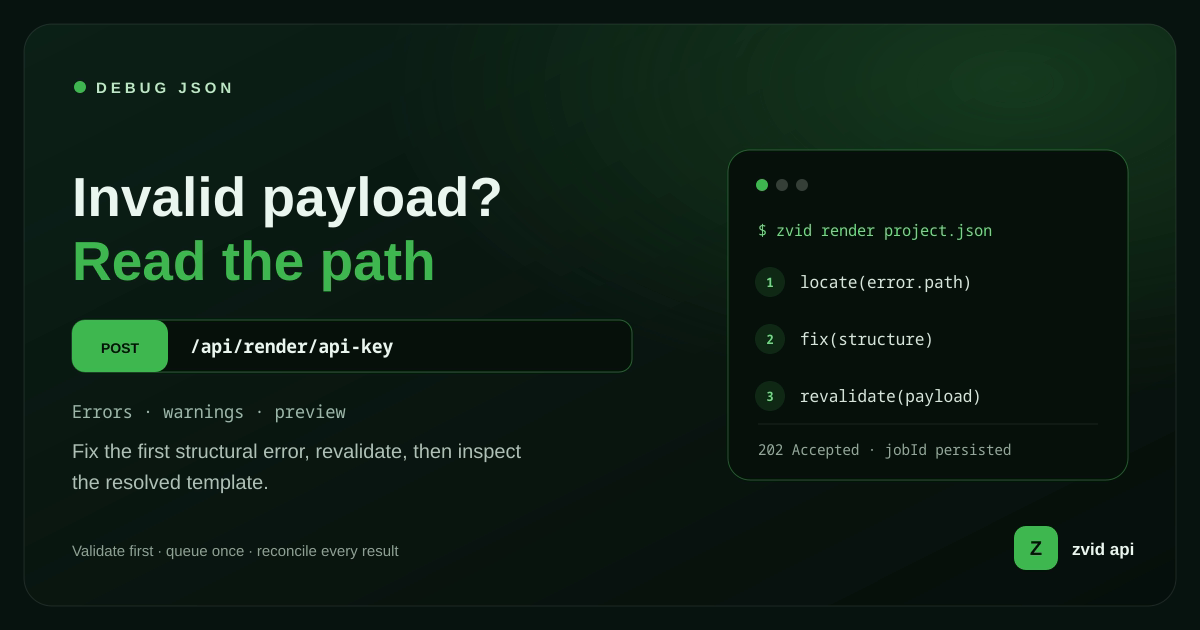
Fix the first structural error, revalidate, then inspect the resolved template.
First identify the failing stage
| Stage | Typical evidence | Retry unchanged? |
|---|---|---|
| Local JSON parse | Parser error before HTTP | No |
| HTTP/authentication | 4xx before project details | No, except after correcting credentials or request |
| Request envelope | payload/template structure error |
No |
| Project validation | Field-level details and possibly planLimits |
No |
| Template resolution | Unresolved variable, wrong type, iterate/condition error | No |
| Queue admission | Credits or account limit response | Only after state changes |
| Render execution | Accepted job later has failedReason |
Depends on the cause |
| Webhook delivery | Delivery log shows non-2xx or timeout | Zvid retries; fix receiver |
Record HTTP status, response body, request ID if present, local source ID, template ID, job ID, and stage. Redact API keys and sensitive or signed media URLs.
Reduce to a minimal reproducible request
Before editing the full project:
- Copy the failing payload into a safe local fixture.
- Remove credentials and private data.
- Confirm the failure is reproducible.
- Replace the body with a documented minimal project.
- Add one scene, element, variable, or media source at a time.
Minimal direct render:
{
  "payload": {
    "name": "debug-minimal",
    "width": 1280,
    "height": 720,
    "duration": 3,
    "backgroundColor": "#101827",
    "visuals": [
      {
        "type": "TEXT",
        "text": "Debug render",
        "x": 640,
        "y": 360,
        "anchor": "center-center"
      }
    ]
  }
}
If the minimal request succeeds, authentication, endpoint, basic account access, and queue path work. The failing difference is in the removed project data or media.
Stage 1: validate JSON syntax locally
JSON is stricter than a JavaScript object literal. Common syntax errors include:
- Trailing commas
- Single-quoted keys or strings
- Comments
- Unescaped newlines or quotes in text
undefined,NaN, orInfinity- Missing comma, colon, bracket, or brace
- Smart quotes copied from a document
Invalid:
{
  "payload": {
    "name": "launch",
    "duration": 6,
  }
}
Valid:
{
  "payload": {
    "name": "launch",
    "duration": 6
  }
}
Parse the exact body before sending it:
function parseJsonFixture(text: string) {
  try {
    return JSON.parse(text);
  } catch (error) {
    throw new Error(`Invalid JSON fixture: ${(error as Error).message}`);
  }
}
Better still, construct a typed JavaScript object and let the HTTP client serialize it once. Do not hand-build JSON strings with interpolation.
Stage 2: inspect the HTTP request
For an API-key video render, send JSON to the server-to-server endpoint:
curl -X POST https://api.zvid.io/api/render/api-key \
  -H "x-api-key: $ZVID_API_KEY" \
  -H "Content-Type: application/json" \
  --data-binary @request.json
Check:
- URL and method are correct.
Content-Typeisapplication/json.- The API key header is present and not accidentally quoted with a literal environment variable name.
- A proxy is not stripping the body or header.
- The body bytes are the fixture you tested.
- The server response body is logged safely, not discarded by a generic exception handler.
Use --data-binary @request.json during debugging so shell quoting does not mutate a large inline payload.
Never expose a Zvid API key in browser code. Route browser requests through your authenticated backend.
Stage 3: fix the render request envelope
The project is nested under payload:
{
  "payload": {
    "name": "direct-project",
    "duration": 5,
    "visuals": []
  },
  "webhookUrl": "https://app.example.com/hooks/zvid"
}
A stored-template request uses template plus request variables:
{
  "template": "tpl_xxxxxxxxxxxxxxxxxxxx",
  "variables": {
    "title": "July update"
  },
  "overrides": {
    "name": "july-update"
  },
  "webhookUrl": "https://app.example.com/hooks/zvid"
}
Submit template or payload, never both. Putting variables inside the wrong level, sending a project object without the envelope, or placing webhookUrl inside the project can produce confusing errors.
Keep application fields such as sourceId, tenantId, or publishDestination out of the Zvid project unless they are documented. Store them in your own job record.
Stage 4: validate the project schema
The current Zvid JSON structure defines project fields, element types, timing, transforms, media, audio, subtitles, scenes, and supported output formats.
Check the top level first:
durationis a number and at least 0.1 seconds for a video.frameRateis an integer from 1 to 60.- Custom
widthandheightare numbers inside the active plan limit. - Video
outputFormatis one ofmp4,mov,avi, orwebm. visuals,audios, andscenesare arrays where used.backgroundColoris a valid supported color value.- Image-only fields are not mixed into an incompatible video project.
Then inspect each element:
typeis a supported uppercase element type such asTEXT,IMAGE,VIDEO,GIF, orSVG.- Required source or text fields are present.
- Timeline starts and ends are numeric and ordered.
- Position, dimensions, opacity, angle, resize, crop, filter, and transition fields use documented types.
- Audio items live under
audiosand do not use a visualtype.
An error path such as payload.visuals.2.src points to the third visual. Preserve those paths in your application logs and user-facing diagnostics.
Before rendering, run the project through Zvid validation. Validation is the cheap iteration step; render only after structural and plan checks pass.
Stage 5: debug template variables
Zvid templates declare defaults under variables and resolve placeholders such as {{title}} or {{product.name}}. Unresolvable placeholders are rejected rather than printed into the final video.
Template:
{
  "variables": {
    "product": {
      "name": "Aurora Trail",
      "heroUrl": "https://cdn.example.com/aurora.webp"
    },
    "showPrice": true,
    "price": "$129"
  },
  "visuals": [
    {"type": "IMAGE", "src": "{{product.heroUrl}}"},
    {"type": "TEXT", "text": "{{product.name}}"},
    {"type": "TEXT", "text": "{{price}}", "condition": "{{showPrice}}"}
  ]
}
Frequent failures:
- Request sends
productNamebut template expectsproduct.name. - A required default is deleted from the template.
- Request variable has the wrong type.
- A numeric placeholder resolves to a nonnumeric string.
- An empty URL survives because its containing element was not conditional.
- Scene-level variables shadow a project variable unexpectedly.
Fetch the stored template and inspect its defaults and placeholder paths. Use the editor's preview toggle or POST /api/templates/{id}/preview with the failing variable set before a final render.
Stage 6: debug condition and iterate
condition needs a boolean value or placeholder:
{"condition": "{{showCta}}"}
Do not send strings such as "false", expressions such as "price > 0", or an absent value. Derive business logic in application code and send a real boolean.
iterate must reference an array variable:
{
  "variables": {
    "features": [{"title": "Fast setup"}]
  },
  "scenes": [
    {
      "id": "feature",
      "iterate": "features",
      "iterateAs": "feature",
      "duration": 2,
      "visuals": [
        {"type": "TEXT", "text": "{{feature.title}}"}
      ]
    }
  ]
}
Common iteration mistakes:
featuresis an object or JSON string instead of an array.- Template uses
{{item.title}}after settingiterateAs: "feature". - Placeholder refers to a field absent from one item.
- Array expansion exceeds the active item or scene limit.
- A per-item condition resolves to a string instead of a boolean.
Remember: iterate creates scenes inside one output; the bulk endpoint creates many independent outputs.
Stage 7: inspect plan limits and credits
Zvid enforces plan limits at submission. Validation errors can include a planLimits object with the account's current values. Do not hard-code a limit copied from another account or old article.
Check:
- Output duration and resolution
- Total visual elements
- Image, video, GIF, audio, and caption element counts
- Scenes after iteration expansion
- Items per iterated scene
- Bulk item count
- Stored template and registered webhook limits
For credits, the submit response reserves the estimated amount. If the account lacks capacity, reduce or split the intended output only when that still meets the creative requirement, or change the account plan/credit state through an authorized workflow.
Do not catch every 400 response and label it “invalid JSON.” Surface the field details and plan limits.
Stage 8: isolate remote media failures
A payload can pass structural validation and still fail when the worker resolves or decodes media. For each URL:
- Use public
httporhttpsaccess. - Test from a clean environment without browser cookies.
- Follow the exact final redirect policy.
- Check expiry on signed URLs.
- Confirm response size and type.
- Probe video or audio streams.
- Verify source duration covers requested trims.
- Confirm the host permits reliable server access.
Replace one suspected source with a known-good documented media URL. If the render succeeds, the project structure is likely valid and the original media path needs investigation.
For controlled assets, upload them to the Zvid media library or use a stable CDN rather than short-lived links. Do not log sensitive signed URLs in plain text.
Stage 9: inspect the asynchronous job
An accepted submission returns a job ID. Store it. Then receive a webhook or request GET /api/jobs/{id}.
A terminal job distinguishes:
resultwith the output URL for completionfailedReasonfor failure
Capture the entire safe job status and normalize it into your own error categories. Do not discard failedReason and replace it with “render failed.”
Retry only when the cause is transient and the source remains valid. Examples may include a temporary upstream media outage. Do not retry unchanged projects for a missing source, invalid trim, unsupported media, or resolved plan-limit violation.
Use bounded retries with a new local attempt record. Preserve the original job and failure reason.
Debug bulk requests by item index
The bulk endpoint validates items independently. A response can contain accepted jobs and itemErrors together:
{
  "bulkId": "blk_xxxxxxxxxxxxxxxxxxxx",
  "queued": 2,
  "itemErrors": [
    {
      "index": 1,
      "errors": [
        {
          "field": "payload.duration",
          "message": "Duration must be at least 0.1 seconds"
        }
      ]
    }
  ]
}
Keep an immutable source ID for each array index. Correct and resubmit only invalid rows. If the envelope is malformed or every item fails, the whole batch can be rejected.
Do not replay accepted items because the HTTP response contained some errors.
Debug webhook failures separately
A successful render can appear stuck locally when webhook delivery fails. Check the registered webhook delivery log for response codes and attempts.
The receiver must:
- Use the raw request body for HMAC verification.
- Read
X-Zvid-Timestampand reject stale deliveries. - Compare
X-Zvid-Signaturesafely. - Return 2xx after durable receipt.
- Process business side effects asynchronously and idempotently.
Zvid retries non-2xx or unreachable registered endpoints with the documented exponential schedule. A slow handler, incorrect raw-body configuration, or secret mismatch is a webhook problem—not a render problem.
Build an error record developers can use
{
  "sourceId": "product-AUR-014-r8",
  "stage": "zvid_submit_validation",
  "httpStatus": 400,
  "zvidJobId": null,
  "templateId": "tpl_xxxxxxxxxxxxxxxxxxxx",
  "templateRevision": "2026-07-16",
  "requestChecksum": "sha256:...",
  "issues": [
    {
      "path": "variables.features.2.mediaUrl",
      "code": "invalid_url",
      "message": "Expected a public HTTP or HTTPS URL"
    }
  ],
  "retryable": false,
  "observedAt": "2026-07-16T10:42:00Z"
}
Redact raw API keys, personal data, webhook secrets, and signed query strings. Keep a request checksum and sanitized fixture so the same failure can be reproduced.
Aggregate by stage, field path, template revision, media host, and retryability. The best debugging system turns recurring incidents into validation or fixture tests.
A practical decision tree
Can the exact body parse locally?
  no  -> fix JSON syntax
  yes -> does minimal authenticated render work?
           no  -> inspect endpoint, headers, account response
           yes -> is envelope payload/template correct?
                    no  -> fix request shape
                    yes -> are field-level validation details returned?
                             yes -> fix project, variables, or plan limit
                             no  -> was a job ID created?
                                      no  -> preserve full response and request ID
                                      yes -> inspect job failedReason
                                               media-related -> isolate URL/codec/trim
                                               transient -> bounded retry
                                               deterministic -> fix input/template
Follow the evidence. Do not jump from a generic client exception to rewriting the entire template.
Invalid JSON input vs an invalid JSON response
An “invalid JSON” report can describe either side of the HTTP exchange. The request file may not parse, the request envelope may violate the API contract, or the server may return an invalid JSON response when the caller expected structured data. Capture the status code, response content type, raw body, request ID, and exact error message before rewriting the payload.
When asking a teammate, support channel, or developer community for help, provide a minimal redacted curl call or POST request. State what you expected to get, what actually happened, and whether JSON.parse succeeds locally. Do not post the API key, private media URL, customer data, or a complete production file. A clear debugging question is more useful than a screenshot of “something went wrong.”
AI can help explain a parser error or reduce a large payload, but do not paste secrets into a prompt. Run the reduced JSON data through local parsing and Zvid validation, then reproduce the request. This separates syntax, schema, media, and render-stage problems without turning every failure into a blind retry.
Real Zvid example: a bug-fix recap
The video below is rendered by Zvid from the saas-bug-fix-recap example. It walks through a realistic progression: trailing comma, wrong envelope, unresolved variable, then a valid accepted job and output.
A real Zvid render adapted from the published saas-bug-fix-recap example for this workflow.
The debugging tree above is also a Zvid image render. These are working product outputs, not AI-generated screenshots of an imaginary API console.
Frequently asked questions
Why does valid JSON still fail the Zvid API?
Valid JSON only means the text parses. The request must also use the correct envelope, satisfy the Zvid project and template contract, fit plan limits, and reference usable media.
Should I retry every failed render job?
No. Retry only transient failures. Syntax, field validation, missing variables, plan limits, invalid media, and unsupported settings require a change first.
How do I debug an unresolved template placeholder?
Fetch the template, compare its declared variable paths and types with the request, then use editor preview or the template preview endpoint with the same variables.
Why did some items in my bulk request render while others failed?
Zvid performs best-effort item validation. Valid rows become jobs and invalid rows appear in itemErrors by index, so repair only those rows.
Debug the stage, not the symptom
The fastest path is parse, authenticate, minimize, inspect the envelope, follow field-level validation, preview template resolution, isolate media, and only then diagnose the asynchronous job. Keep bulk and webhook errors in their own stages.
Once that evidence is recorded, “invalid JSON” becomes a specific fix—and the same issue can be prevented with schema validation, template fixtures, media preflight, or better observability.