Use Cases
AI Car Inventory Video Automation for Dealerships
Run dealership video batches with inventory snapshots, Zvid iteration, bulk jobs, item errors, webhooks, and stale-asset reconciliation.
By Mina RamzyPublished Updated
AI Car Inventory Video Automation for Dealerships
Car inventory video automation at dealership scale is a data-operations problem wrapped around a creative template. The system must decide which vehicles are eligible, freeze an inventory revision, avoid duplicate renders, submit valid rows, recover item-level failures, process one completion event per job, and retire videos when price or availability changes.
Zvid supplies the visual editor, reusable templates, array-driven scenes, bulk jobs, video and image rendering, and webhooks. Your inventory application remains the authority for VIN identity, listing status, price, disclosures, media approval, dealership ownership, and publication.
This guide covers fleet and batch operations. To design the scenes, media slots, price conditions, and CTA for one vehicle, use the companion guide to automated car listing videos.
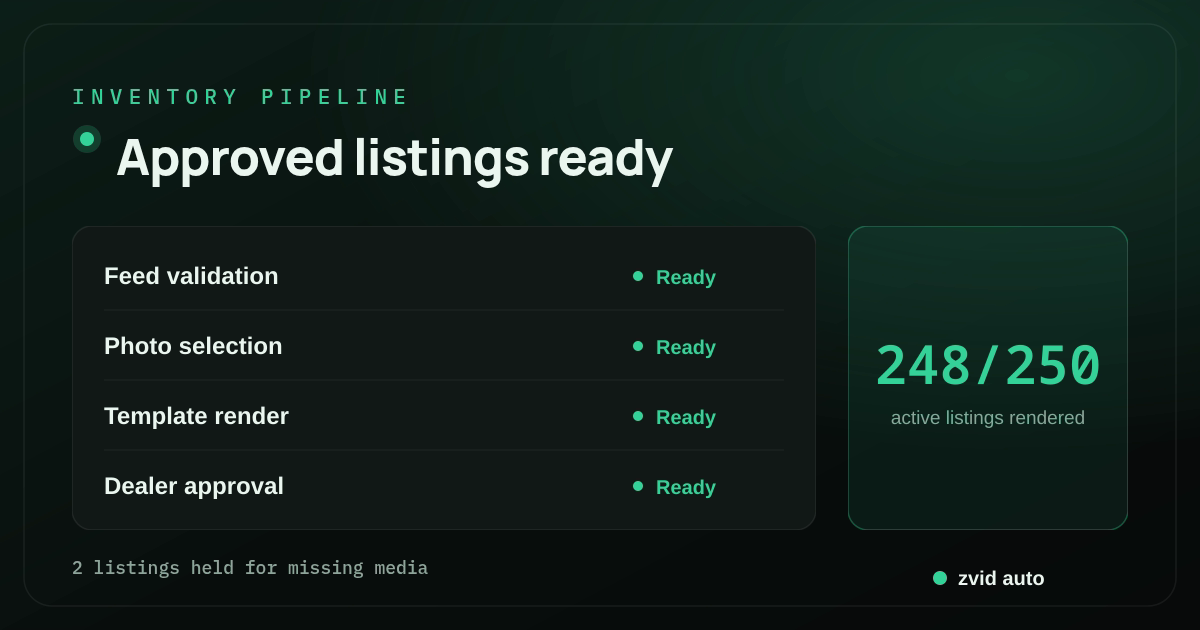
Approved listings ready; 2 listings held for missing media.
Freeze a source snapshot before rendering
Do not query the live inventory table repeatedly while constructing a batch. A price, photo order, or status can change between item 1 and item 200.
Create an immutable snapshot:
{
  "snapshotId": "INV-NORTH-2026-07-16T08:00Z",
  "dealerGroupId": "DEALER-NORTH",
  "locationId": "LOC-RIVER",
  "sourceRevision": 8842,
  "createdAt": "2026-07-16T08:00:00Z",
  "vehicles": [
    {
      "vehicleId": "VEH-88421",
      "vinHash": "sha256:...",
      "listingRevision": 12,
      "status": "available",
      "year": "2025",
      "make": "Illustrative Motors",
      "model": "Northline X",
      "trim": "Touring",
      "priceDisplay": "$31,900",
      "mileageDisplay": "8,420 mi",
      "heroPhotoUrl": "https://cdn.example.com/inventory/88421/front.webp",
      "gallery": [
        {"label": "Interior", "photoUrl": "https://cdn.example.com/inventory/88421/interior.webp"},
        {"label": "Cargo", "photoUrl": "https://cdn.example.com/inventory/88421/cargo.webp"}
      ],
      "showPrice": true,
      "showFinanceDisclaimer": false,
      "approvalId": "AUTO-APP-5521"
    }
  ]
}
The manufacturer, model, prices, and dealer entities in this example are fictional.
Store display-ready values. The render template should not decode a VIN, calculate finance terms, decide whether a vehicle is certified, format locale-specific mileage, or infer availability.
Apply eligibility before the creative layer
An inventory item can render only when it passes policy:
- Status is eligible for marketing.
- Required identity and display fields are present.
- Price and disclaimer states are internally consistent.
- Minimum approved photo set exists.
- Media belongs to the vehicle and location.
- Images meet orientation, resolution, and rights rules.
- Listing and creative approvals are current.
- The client/dealership is authorized for the template.
- No active output already exists for the same render key.
Use a deterministic render key:
sha256(
  vehicleId
  + listingRevision
  + templateId
  + templateRevision
  + formatProfile
  + orderedMediaChecksums
)
If that key already has an approved output, reuse it. If the same key is currently queued, do not create a duplicate job. A new price, media order, or template revision produces a new key.
Use a batch state model
snapshot_created
  -> eligibility_checked
  -> preview_sample_approved
  -> submitting
  -> active
  -> reconciling
  -> review_ready
  -> approved
  -> distributed
Each vehicle item has its own state:
eligible
  -> accepted
  -> queued
  -> completed
  -> media_review
  -> approved
  -> active

eligible -> item_invalid -> corrected -> resubmitted
queued   -> failed       -> triaged   -> retry_or_reject
active   -> obsolete     -> replaced_or_removed
The batch is a container and reporting view. It does not erase item-level truth. One failed vehicle should not block valid outputs, and one completed vehicle should not mark the batch complete.
Choose between two automotive template jobs
One vehicle per video
The single-listing template highlights one car. Variables include vehicle identity, hero media, bounded gallery, optional price, features, dealership brand, and CTA. Bulk rendering creates one job per vehicle.
Weekly or campaign highlight video
One video contains a curated list of vehicles. Zvid iterate repeats a vehicle scene inside the output. Bulk rendering can then create one highlight video per location, brand, language, or format.
These are different levels:
iterate: multiple vehicles inside one highlight video
bulk: multiple independent highlight or listing videos
Do not use a weekly highlight as a substitute for individual listing media when the destination expects one asset per VIN.
Curate the weekly highlight list
A highlight video should not contain every available unit. Select a bounded set using approved rules, then review the result. Example selection policy:
- Newly arrived and media-ready
- One vehicle per chosen category
- Exclude units already featured in the recent window
- Exclude records with stale price or missing disclosure
- Prefer varied exterior colors and shot compositions
- Cap at five vehicles for the approved format
The selection algorithm can rank candidates, but the final array is the editorial input. Preserve the reason each vehicle was selected.
{
  "campaignId": "WEEKLY-RIVER-2026-W29",
  "headline": "New this week at River location",
  "vehicles": [
    {
      "vehicleId": "VEH-88421",
      "name": "2025 Illustrative Motors Northline X",
      "detail": "Touring · 8,420 mi",
      "priceDisplay": "$31,900",
      "photoUrl": "https://cdn.example.com/inventory/88421/front.webp",
      "showPrice": true
    },
    {
      "vehicleId": "VEH-88504",
      "name": "2024 Illustrative Motors Coastline S",
      "detail": "Premium · 12,180 mi",
      "priceDisplay": "",
      "photoUrl": "https://cdn.example.com/inventory/88504/front.webp",
      "showPrice": false
    }
  ],
  "showEventCta": true,
  "eventCta": "View the weekend arrivals"
}
Repeat vehicle scenes with iterate
Build the master in the Zvid Editor and expose the approved array:
{
  "id": "vehicle",
  "iterate": "vehicles",
  "iterateAs": "vehicle",
  "duration": 3.2,
  "transition": "slideleft",
  "visuals": [
    {
      "type": "IMAGE",
      "src": "{{vehicle.photoUrl}}",
      "width": 1920,
      "height": 1080,
      "resize": "cover",
      "zoom": 1.04
    },
    {"type": "TEXT", "text": "{{vehicle.name}}", "x": 90, "y": 690, "width": 1600},
    {"type": "TEXT", "text": "{{vehicle.detail}}", "x": 90, "y": 825, "width": 1200},
    {
      "type": "TEXT",
      "text": "{{vehicle.priceDisplay}}",
      "condition": "{{vehicle.showPrice}}",
      "x": 1490,
      "y": 840,
      "width": 340
    }
  ]
}
Zvid expands one scene per array item. The per-item condition hides price when false. The application must supply a real boolean and an approved already-formatted string.
Use a small creative limit even though Zvid's active plan may allow more iteration items. The platform limit protects resources; the creative limit protects pacing.
Preview a stratified sample before the batch
For each template revision and dealer brand, preview:
- Longest year/make/model/trim string
- Price visible and hidden
- Minimal and maximum gallery or highlight count
- White, black, and high-saturation vehicle photos
- Portrait and landscape source mistakes
- Long location, agent, or CTA values
- Disclosure on and off
- Every output format
Use editor preview or POST /api/templates/{id}/preview, then render a small golden set. Inspect vehicle crops carefully: the car must remain identifiable and should not be cut at important edges.
Before a large live batch, render a stratified sample from the current snapshot—different locations, price states, image providers, and makes. A template fixture cannot reveal a new upstream watermark or photography style.
Submit one template and many vehicles
{
  "template": "tpl_xxxxxxxxxxxxxxxxxxxx",
  "name": "river-inventory-2026-07-16",
  "variables": {
    "dealerName": "River Auto Group",
    "logoUrl": "https://cdn.example.com/dealers/river/logo-white.svg",
    "accent": "#38BDF8"
  },
  "items": [
    {
      "name": "VEH-88421-r12",
      "variables": {
        "vehicleName": "2025 Illustrative Motors Northline X Touring",
        "priceDisplay": "$31,900",
        "showPrice": true,
        "heroPhotoUrl": "https://cdn.example.com/inventory/88421/front.webp"
      }
    },
    {
      "name": "VEH-88504-r8",
      "variables": {
        "vehicleName": "2024 Illustrative Motors Coastline S Premium",
        "priceDisplay": "",
        "showPrice": false,
        "heroPhotoUrl": "https://cdn.example.com/inventory/88504/front.webp"
      }
    }
  ],
  "webhookUrl": "https://inventory.example.com/hooks/zvid"
}
The Zvid bulk endpoint uses best-effort item validation. Valid items become individual jobs. Invalid items are returned in itemErrors by original index. The whole request is rejected only when the envelope is malformed or every item fails.
Persist the bulk ID, source snapshot, array index, vehicle ID, listing revision, render key, and accepted job ID. Do not reconstruct identity from the output filename.
Repair invalid items without replaying valid jobs
For each itemErrors row:
- Resolve the original source item by immutable index mapping.
- Classify the error as data, template, plan, or system configuration.
- Correct only when the authoritative inventory source supports the change.
- Produce a new render key if the source or template changed.
- Resubmit only corrected rows.
- Link the repair batch to the original batch.
Do not silently truncate names, remove required disclaimers, or substitute another vehicle image to make validation pass.
Track invalid-item rate by source provider and field. A repeated missing price flag is an ingestion issue, not a reason to add more retries.
Reconcile job completion with signed webhooks
Registered Zvid webhooks deliver render.completed and render.failed events, include job state and result or failure reason, use HMAC signatures, retry non-2xx responses, and expose a delivery log.
The receiver should:
- Verify the raw-body signature and timestamp.
- Persist the event idempotently.
- Look up vehicle and dealership ownership by stored Zvid job ID.
- Store the output URL and checksum or failure reason.
- Return 2xx after durable receipt.
- Queue media review and downstream updates separately.
Run periodic reconciliation for non-terminal jobs older than expected. Webhooks are the fast path; GET /api/jobs/{id} is the repair path.
Handle failed jobs by cause
Examples:
- Remote photo expired: refresh the authoritative media URL, confirm it belongs to the same vehicle and revision, then submit a new attempt.
- Unsupported or corrupt media: quarantine the asset and route the listing for media repair.
- Plan limit after template change: stop the batch and fix or approve the template/plan decision; do not retry every row.
- Transient source host outage: bounded retry after verifying host recovery.
- Completed but visually rejected: record the review reason and create a new successful render; do not label it a technical retry.
Never swap in an unrelated stock car. A missing vehicle-specific image should block the visual slot or the listing.
Keep output state synchronized with inventory changes
Price, mileage, media, status, and disclosure changes can make a video stale. Subscribe to inventory change events or run snapshot diffs.
For each active output:
if listing status becomes unavailable:
  mark output obsolete
  stop future distribution
  remove or unlist where the destination API permits

if material display data changes:
  create new listing revision
  generate new render key
  render replacement
  approve replacement
  switch active pointer
  retire prior output
Preserve history. A dealership should be able to determine which price and media appeared in a video published on a specific date.
For a weekly highlight containing several vehicles, one sold vehicle may invalidate the whole composite. Use a shorter distribution window, clear expiry, and a replacement policy.
Render images for listing cards and posters
Zvid also supports native PNG, JPG/JPEG, and WebP image rendering and bulk image jobs. Use a separate approved image template for listing cards, thumbnails, or social covers.
Do not assume the video frame is an ideal card. Image templates need their own text limits, crop rules, aspect ratios, and price/disclosure conditions. Store image and video job IDs separately under the same vehicle revision.
Dealership visual QA
Identity and facts
- Correct vehicle, trim, revision, location, and brand
- Correct price, mileage, event, and disclosure state
- VIN or stock identifiers not exposed unintentionally
Media
- Hero and gallery belong to the vehicle
- Exterior is not cropped misleadingly
- Watermarks, plates, faces, documents, and reflections follow policy
- Interior and feature labels match the images
- No broken, duplicated, or low-resolution media
Creative
- Title fits and remains readable
- Price-off state leaves no blank visual hole
- Iterated scenes keep consistent pacing
- Logo and CTA use approved placement
- Audio, transitions, and final hold work in playback
Operations
- Snapshot, listing revision, render key, job, output, and approval link correctly
- Invalid items and failed jobs have explicit owners
- Stale assets become obsolete when inventory changes
- Distribution happens only after approval
Observe the production system
Track:
- Snapshot-to-eligible ratio
- Duplicate render keys avoided
- Bulk acceptance and
itemErrorsrate - Queue and render latency by template and duration
- Failed jobs by media host and cause
- Completed creative rejection rate
- Time from inventory change to approved replacement
- Active videos referencing stale listing revisions
- Webhook delivery and reconciliation gaps
These metrics show whether the bottleneck is catalog quality, creative constraints, external media, render operations, review, or destination updates.
Where AI inventory tools fit in automotive marketing
AI inventory features can help a dealer classify photos, detect missing fields, draft social copy, or prioritize vehicles for a campaign. They should not manufacture a price, trim, mileage, option, or condition claim. The dealership inventory system remains the authority, and every generated asset should point back to the vehicle snapshot used for that render.
That boundary supports several automotive marketing outputs. A single-vehicle VDP asset, an Instagram clip, a paid ad, and a weekly inventory highlight may share source records while using different templates. An AI video proposal can suggest an opening line, but the approved vehicle inventory and campaign rules determine what actually renders.
For car dealers, the useful automation is operational: select eligible vehicles, generate previews, submit valid items, reconcile webhooks, and retire assets when inventory changes. This engages shoppers without asking the video system to become inventory management. Pricing changes, sold state, media rights, and destination policy should continue to flow from their owning systems.
Connect the inventory batch to a channel strategy
Vehicle videos may go to the VDP, YouTube, Instagram, paid social media, or a sales follow-up. Each destination needs a deliberate strategy for aspect ratio, duration, CTA, and update behavior. Do not automatically reuse a horizontal listing asset as every vertical ad.
AI-driven selection can surface a trend or recommend vehicles, but the source snapshot and campaign rules decide what runs. Track whether each automotive video engages shoppers, then feed those results into selection and template changes. That closes the loop from inventory intelligence to video creation without letting the renderer rewrite inventory facts.
Real Zvid example: a weekly inventory highlight
The video below is rendered by Zvid from the auto-weekly-highlights example, adapted to a fictional River location snapshot. It uses an iterated, curated vehicle list with an optional price per item and a campaign CTA.
A real Zvid render adapted from the published auto-weekly-highlights example for this workflow.
The batch-state visual above is also rendered by Zvid. It shows how one snapshot becomes item-level jobs, reviewed outputs, and obsolete/replacement states as inventory changes.
Frequently asked questions
What is the difference between car listing and inventory video automation?
The listing template defines one vehicle's creative. Inventory automation selects eligible vehicles, creates batches, reconciles item jobs, handles changes, and retires stale outputs.
Can one Zvid video show several vehicles?
Yes. Use iterate to repeat a scene for a bounded, curated vehicle array. Use bulk rendering when you need several independent videos.
Does one invalid vehicle fail the whole bulk request?
Not normally. Valid items can become jobs while invalid ones return in itemErrors; a malformed envelope or all-invalid set can reject the batch.
What happens when a vehicle is sold or its price changes?
Mark affected outputs obsolete, stop distribution, create a new source revision when needed, render and approve a replacement, and preserve the prior audit history.
Keep the inventory and media ledgers connected
The value of dealership-scale automation is not merely producing more vehicle videos. It is knowing which inventory revision, selected media, template, job, review, and distribution record produced every active asset—and retiring that asset when its facts change.
Zvid handles the repeatable creative and render workflow. A disciplined inventory system supplies the state, identity, approval, and reconciliation that make those videos trustworthy at scale.