E-commerce Automation
Product Video API: Turn CSV and Product Feeds Into Videos
Turn CSV, PIM, or catalog data into reviewed product videos with Zvid templates, variables, bulk renders, and webhooks.
By Mina RamzyPublished Updated
Product Video API: Turn CSV and Product Feeds Into Videos
A product video API turns catalog data into finished creative when you separate the stable design from the changing product record. With Zvid, the durable version of that workflow is: normalize each CSV or PIM row, pass the clean fields into a stored template, preview representative edge cases, submit many variable sets through the bulk endpoint, and reconcile completed URLs through webhooks.
That is different from generating a fresh timeline object for every SKU. A template gives marketing one reviewed visual system while the feed supplies product-specific values such as the title, image, price, feature list, sale state, and CTA. Zvid resolves those variables, conditions, and iterations before it validates and renders the output.
Start with the Zvid template basics and bulk rendering guide. If the visual system still needs design work, the Zvid Editor uses the same project JSON as the API, so a designer can work on the canvas and timeline before saving the result as a template.
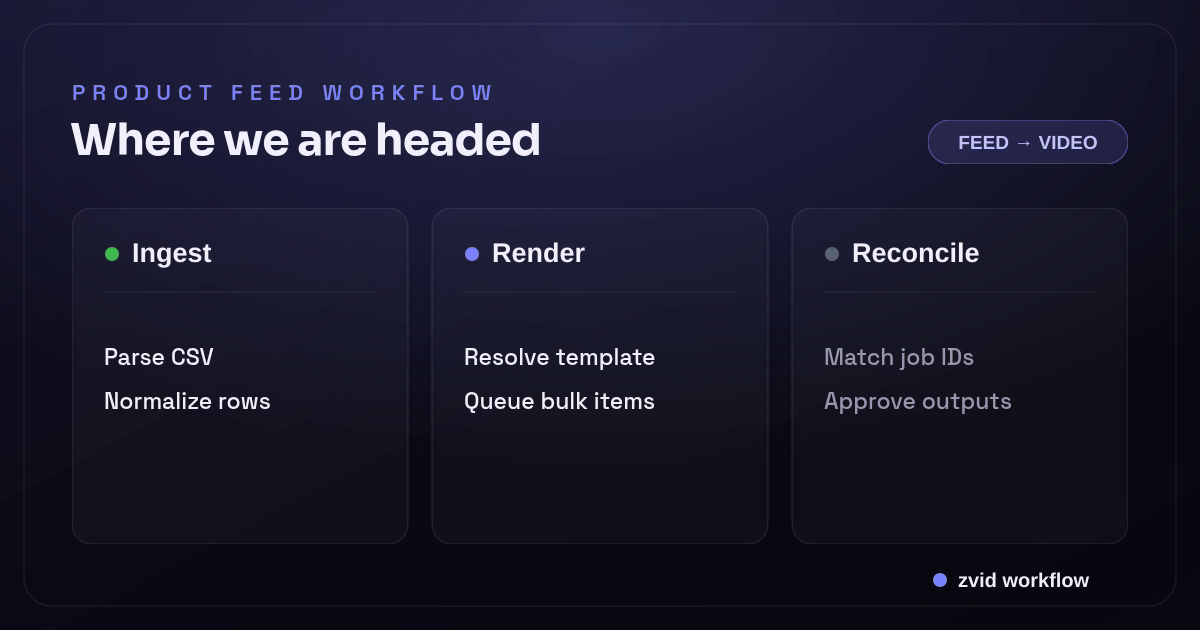
Ingest, Render, and Reconcile form one reviewable Zvid workflow.
Build the feed pipeline around a stable contract
The reliable architecture has six stages:
- Read records from CSV, a PIM, an ecommerce API, or a catalog export.
- Normalize inconsistent fields into one internal product shape.
- Apply business rules before the data reaches the video template.
- Preview the template with difficult records, not only the shortest title.
- Submit valid products as one or more bulk render requests.
- Store job and output state back against the source SKU.
The normalization step is where most feed integrations earn their keep. A renderer should not have to interpret five price formats, decide which of six images is the hero, or guess whether a blank sale price means “no discount.” Resolve those questions in application code and give the template predictable values.
{
  "sku": "BAG-204",
  "title": "Transit Weekender Bag",
  "imageUrl": "https://cdn.example.com/products/bag-204.webp",
  "price": "$129",
  "salePrice": "$99",
  "showSale": true,
  "features": [
    { "label": "Carry-on size" },
    { "label": "Recycled shell" },
    { "label": "Padded laptop sleeve" }
  ],
  "cta": "Shop the drop"
}
Treat this normalized object as an internal contract. The source feed may call the same values product_name, compare_at_price, and primary_asset; your Zvid variables should not change every time an upstream column changes.
Model the product as Zvid template variables
A Zvid template declares safe defaults under variables and references them with {{placeholders}}. Use condition for optional creative and iterate when one scene should repeat for every item in an array.
The following shortened template shows the important data model. The product image, title, and price are simple variables. The offer scene is conditional. The feature scene repeats for each feature object.
{
  "name": "catalog-product-video",
  "resolution": "instagram-reel",
  "frameRate": 30,
  "outputFormat": "mp4",
  "backgroundColor": "#0B1020",
  "variables": {
    "title": "Transit Weekender Bag",
    "imageUrl": "https://images.pexels.com/photos/1152077/pexels-photo-1152077.jpeg",
    "price": "$129",
    "salePrice": "$99",
    "showSale": true,
    "features": [
      { "label": "Carry-on size" },
      { "label": "Recycled shell" }
    ],
    "cta": "Shop now"
  },
  "scenes": [
    {
      "id": "hero",
      "duration": 4,
      "visuals": [
        {
          "type": "IMAGE",
          "src": "{{imageUrl}}",
          "width": 1080,
          "height": 1920,
          "position": "center-center",
          "resize": "cover"
        },
        {
          "type": "TEXT",
          "html": "<div style='font-size:84px;font-weight:800;color:#fff'>{{title}}</div>",
          "x": 80,
          "y": 1320,
          "width": 920,
          "anchor": "top-left"
        }
      ]
    },
    {
      "id": "feature",
      "iterate": "features",
      "iterateAs": "feature",
      "duration": 2.5,
      "visuals": [
        {
          "type": "TEXT",
          "text": "{{feature.label}}",
          "position": "center-center",
          "width": 860,
          "style": {
            "fontSize": "72px",
            "fontWeight": 800,
            "color": "#FFFFFF",
            "textAlign": "center"
          }
        }
      ]
    },
    {
      "id": "offer",
      "condition": "{{showSale}}",
      "duration": 3,
      "visuals": [
        {
          "type": "TEXT",
          "text": "{{salePrice}}",
          "position": "center-center",
          "style": {
            "fontSize": "120px",
            "fontWeight": 900,
            "color": "#FDE047"
          }
        }
      ]
    },
    {
      "id": "cta",
      "duration": 3,
      "visuals": [
        {
          "type": "TEXT",
          "text": "{{cta}}",
          "position": "center-center",
          "style": {
            "fontSize": "68px",
            "fontWeight": 800,
            "color": "#FFFFFF"
          }
        }
      ]
    }
  ]
}
iterate builds repeated scenes inside one video. Bulk rendering creates many videos from many variable sets. Product-feed systems often need both, but they solve different problems.
Map feed fields deliberately
Do not expose every source column to the template. Give each variable a creative purpose and an explicit fallback.
| Feed concern | Normalized field | Template behavior |
|---|---|---|
| Product identity | title |
Required; reject or quarantine a blank value |
| Primary media | imageUrl |
Required; use a stable public HTTPS asset |
| Standard price | price |
Required when the creative displays price |
| Sale state | showSale |
Boolean derived from approved business rules |
| Sale price | salePrice |
Used only when showSale is true |
| Product benefits | features[] |
Array used by an iterated scene; cap length before render |
| Call to action | cta |
Approved label selected by channel or campaign |
This is also where localization belongs. Convert currency and choose translated copy before submission. Do not ask the video template to infer locale or calculate commercial rules.
Preview the records most likely to break the design
Before you create a batch, preview the stored template with representative variable sets. The preview route resolves variables, conditions, and iterations and validates the resulting project without producing a final render.
Test at least these cases:
- The longest approved product title
- A product with no sale state
- The maximum allowed number of feature items in your application
- A portrait image and a landscape image
- A price with the longest expected currency formatting
- A record with optional copy removed
The Editor's Variables panel can preview values on the stage, which is useful for line breaks and media framing. The API preview is the right guard for automated submissions. Both paths work on the same template contract.
Submit product videos with the bulk endpoint
Once the template is saved as a tpl_… ID, send one bulk request containing per-product variable sets. Zvid validates items independently: valid items can queue while invalid items are returned with their original index and field-level errors.
curl -X POST https://api.zvid.io/api/render/bulk/api-key \
  -H "x-api-key: $ZVID_API_KEY" \
  -H "Content-Type: application/json" \
  -d '{
    "template": "tpl_xxxxxxxxxxxxxxxxxxxx",
    "name": "spring-catalog-wave-01",
    "variables": {
      "cta": "Shop the collection"
    },
    "items": [
      {
        "name": "product-BAG-204",
        "variables": {
          "title": "Transit Weekender Bag",
          "price": "$129",
          "salePrice": "$99",
          "showSale": true,
          "imageUrl": "https://cdn.example.com/products/bag-204.webp",
          "features": [
            { "label": "Carry-on size" },
            { "label": "Recycled shell" }
          ]
        }
      },
      {
        "name": "product-SHOE-018",
        "variables": {
          "title": "Aurora Runner",
          "price": "$149",
          "showSale": false,
          "imageUrl": "https://cdn.example.com/products/shoe-018.webp",
          "features": [
            { "label": "Responsive foam" },
            { "label": "All-weather grip" }
          ]
        }
      }
    ],
    "webhookUrl": "https://example.com/hooks/zvid/catalog"
  }'
Do not immediately retry the whole batch when one item fails. Persist the returned bulkId, job IDs, and itemErrors. Repair and resubmit only the rejected source records.
Use webhooks to reconcile outputs with SKUs
The source SKU should survive the entire workflow. Store a small render ledger with the SKU, template version, bulk ID, job ID, source-data hash, state, and final URL. When Zvid sends render.completed or render.failed, verify the event, make the update idempotent, and attach the result to the correct product record.
Registered Zvid webhooks are signed with HMAC-SHA256 over the timestamp and raw body. Per-request webhookUrl callbacks are useful for an isolated batch. Account-level webhooks are useful when one service owns all render events. The webhooks guide documents both paths.
Your receiver should safely accept the same delivery more than once. Use the delivery or job ID as a deduplication key, reject stale signatures, and return a 2xx response only after the event is durably recorded.
Product video API vs prompt-first video generation
The phrase product video API covers two different jobs. A prompt-first video generation API tries to create new footage from a text or image prompt. A template rendering API turns approved product facts and approved media into a predictable composition. The feed workflow in this guide is the second kind: it does not ask a model to invent the product, price, color, or claims.
That distinction matters for video creation at scale. A merchandising team can make a customizable template once, then use an API key and one API call per batch to generate videos for a catalog. The application may need only a few lines of code to map fields, but the complete video workflow still includes source validation, media approval, previews, render jobs, and reconciliation. It is automation, not unattended video editing.
The same contract can support more than one use case. A horizontal product-page video, a vertical TikTok cut, and a still campaign image can share normalized source data while using separate reviewed templates. This is how one product feed can drive video at scale without forcing one creative layout onto every channel.
A real Zvid product-template example
The demo below is adapted from Zvid's published Product Hero Promo template. The template already contains a designed product reveal, media slots, price and CTA variables, plus conditional creative. The implementation task is to map normalized feed fields into those declared variables without dismantling the layout.
A real Zvid render adapted from the published ecom-hero-promo example for this workflow.
This is the practical advantage of starting from a real template: engineering owns the data contract and delivery path, while the designed scene system remains intact.
Divide responsibility between the editor and the API
Use the editor for visual decisions: composition, typography, scene timing, media framing, subtitle placement, and testing realistic variable values. Save the approved project as a template.
Use application code for operational decisions: feed ingestion, normalization, business rules, variable assembly, bulk requests, retries, webhooks, storage, and publishing approval. Exported editor JSON is inspectable, so the handoff is a versioned project rather than an opaque design file.
For the creative side of this system, see Automated Product Videos: Design a Reusable Zvid Template. For a smaller first API request, use How to Generate a Video from JSON with Zvid.
Production checks that prevent bad catalog videos
- Reject missing or private media URLs before submission.
- Limit title and feature lengths according to the approved design.
- Preview sale-on and sale-off states.
- Version the template ID or template version with each job.
- Keep a source-data hash so unchanged products do not rerender accidentally.
- Separate render completion from publishing approval.
- Retry only failed or rejected records, with a bounded policy.
- Review a sample from every large batch before downstream publication.
The goal is not merely to create many files. It is to create traceable, on-brand product videos that can be regenerated when catalog data changes.
FAQs
Can Zvid create videos directly from a CSV file?
Your application parses and normalizes the CSV, then sends the resulting variable sets to a Zvid template. For many rows, use the bulk render endpoint rather than constructing unrelated timelines by hand.
What is the difference between iterate and bulk rendering?
iterate repeats a scene for array items inside one video. Bulk rendering creates many separate videos from many variable sets.
Should every completed product video publish automatically?
Not by default. Keep render completion and publication as separate states so a failed data mapping or awkward creative variant can be reviewed before it reaches a product page or campaign.
Build one normalized record, preview it in a real Zvid template, and test the completion callback. Once that loop is reliable, expanding it to a catalog becomes an operations problem rather than a manual editing problem.