Developer Tutorials
Ecommerce Product Video Template JSON
Use an ecommerce product video template JSON in this reviewed Node.js and Zvid example to map CSV rows, submit one bulk request, and download every result.
By Mina RamzyPublished
Ecommerce Product Video Template JSON
An ecommerce product video template JSON keeps the approved design in one reusable project while each CSV row supplies a different product and recipient. The public Zvid bulk-personalized-videos example demonstrates that pattern in Node.js: it validates the rows, submits one or more bulk requests, polls each batch, downloads the completed MP4 files, and writes a results manifest.
For the broader ingestion and reconciliation architecture, see Product Video API: Turn CSV and Product Feeds Into Videos. This guide stays focused on the repository itself.
Get the repository and prepare the required data
The complete project is available on GitHub: Zvid-io/bulk-personalized-videos.
The repository now also includes ready-to-import n8n workflows for CSV, Google Sheets, polling, and webhook-driven variants. This walkthrough deliberately stays with the Node.js CLI so the row mapping, request envelope, and result reconciliation remain visible in code.
git clone https://github.com/Zvid-io/bulk-personalized-videos.git
cd bulk-personalized-videos
npm install
You need Node.js 20 or newer, a Zvid API key, and publicly accessible HTTP or HTTPS product images. The current example reads four inputs:
| Input | Required data |
|---|---|
.env |
ZVID_API_KEY; ZVID_API_URL and ZVID_WEBHOOK_URL are optional |
template.json |
The designed project and placeholders matching the variable names below |
campaign.json |
Shared values such as brandName, accentColor, headline, offer copy, and musicUrl |
data/customers.csv |
One customer/product combination per output video |
The current CSV mapper requires all seven headers, with one non-empty value for each field:
first_name,product_name,product_tagline,product_image,discount_label,coupon_code,cta_url
Amira,The Field Watch,Sapphire glass · Italian leather,https://example.com/watch.jpg,20% OFF,AMIRA-20,arcadia.example/amira
product_image must be a public HTTP or HTTPS URL. Keep the API key only in the uncommitted .env file; do not place secrets in the CSV, campaign, or template.
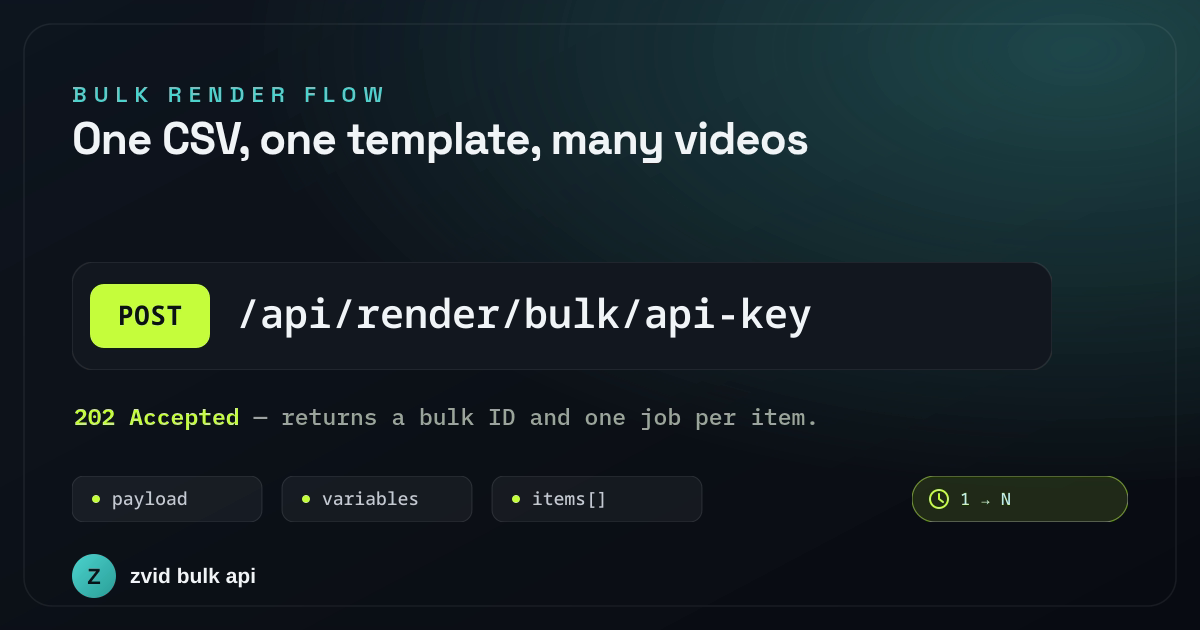
One inline project, batch-level variables, and one item per CSV row form the bulk request.
What is an ecommerce product video template JSON?
In this repository, the ecommerce product video template JSON is template.json: output settings, default variables, three scenes, SVG, HTML and image elements, transitions, animation timing, and music. It streamlines product video creation because the design stays fixed while the CSV changes only approved fields.
The sample campaign uses a fictional brand named Arcadia and four customer rows. Each row becomes a separate 1080×1920 product video:
- A greeting scene addresses the recipient by first name and introduces the offer.
- A product scene shows the row's image, product name, tagline, and discount.
- A CTA scene reveals the recipient's coupon code and destination.
The three explicit scene durations add up to 11.2 seconds. Two overlapping transitions reduce the rendered timeline to 10.25 seconds. The checked-out repository also contains the rendered Amira sample as example.mp4.
In the completed batch reviewed for this article, all four items finished successfully. The batch record maps each customer to an independent job, output URL, thumbnail, resolution, duration, and credit consumption. That is the central bulk-rendering idea: one request is an orchestration envelope, but every video remains its own job and file.
Understand the five-part project
The repository separates creative decisions from operational code:
| File | Responsibility |
|---|---|
template.json |
Three-scene vertical video, animations, transitions, music, defaults, and placeholders |
campaign.json |
Values shared by the batch: brand, accent, headline, offer copy, and music |
data/customers.csv |
One recipient and product combination per output |
src/csv.js |
CSV validation and column-to-variable mapping |
src/index.js |
Load, dry-run, batch, poll, download, and write results.csv |
src/zvid.js |
Small fetch client with typed API errors and transient retry handling |
src/util.js |
.env loading, bounded concurrency, streaming downloads, and CSV escaping |
This boundary is worth preserving. Marketing can revise campaign defaults without changing the row mapper. A designer can revise the scenes without changing batch orchestration. Engineering changes src/csv.js only when the source schema or template contract changes.
Map each CSV row into template variables
The sample CSV contains:
first_name,product_name,product_tagline,product_image,discount_label,coupon_code,cta_url
Amira,The Field Watch,Sapphire glass · Italian leather,https://images.example/watch.jpg,20% OFF,AMIRA-20,arcadia.example/amira
The mapper is deliberately ordinary application code:
export function rowToVariables(row) {
  return {
    firstName: row.first_name,
    productName: row.product_name,
    productMeta: row.product_tagline,
    productImage: row.product_image,
    discountLabel: row.discount_label,
    couponCode: row.coupon_code,
    ctaUrl: row.cta_url
  };
}
loadItems() checks that every required column exists, rejects empty required values, and verifies that the product image is an HTTP or HTTPS URL. It also creates a filesystem-safe job name such as offer-amira-r1.
Keep business rules outside the template. Coupon eligibility, localization, product claims, and media approval should be decided before rowToVariables() returns a render item.
Customize the JSON template with three variable levels
You can customize the JSON template without rewriting scene geometry. The example uses a practical precedence model:
template.jsondeclares safe defaults.campaign.jsonoverrides values shared by every output.- Each bulk item's
variablesoverride the campaign for one row.
That is why accentColor can remain consistent across the campaign while firstName, productImage, and couponCode vary per customer. Zvid resolves the placeholders before it validates each item.
The template also uses condition: "{{showOffer}}" on the offer block. A boolean campaign value can therefore remove that element cleanly. Conditions are template behavior, not JavaScript expressions; pass an explicit boolean rather than embedding commercial logic in the creative.
The Variables and Templates guide covers placeholder previews and saved templates. The repository sends the full project inline as payload, but the same bulk envelope can reference a stored tpl_… ID when the creative is managed in Zvid.
Follow the CLI from CSV to MP4
After loading the three input files, src/index.js performs this sequence:
- Convert valid CSV rows into named bulk items.
- Optionally validate every resolved item with the free validation endpoint.
- Split the items into batches.
- Submit
payload, campaignvariables, and per-rowitems. - Preserve the returned job-to-row mapping.
- Poll each bulk ID until every job is terminal.
- Download completed MP4 files with concurrency limited to four.
- Write
out/results.csvwith source row, status, URLs, credits, and error text.
The submit call expresses the important request shape:
const response = await client.submitBulk({
  payload,
  variables: campaignVariables,
  items: batch.map(({ variables, name }) => ({ variables, name })),
  name: `personalized-offers ${new Date().toISOString().slice(0, 10)}`,
  webhookUrl: process.env.ZVID_WEBHOOK_URL || undefined
});
Valid and invalid items can coexist in one request. Zvid queues valid items and reports rejected ones with their original index. Repair and resubmit only rejected records; do not duplicate successful jobs.
Dry-run before spending render credits
After checking the current commit, use this command sequence:
npm install
cp .env.example .env
npm run dry-run
npm run sample
npm start
The dry run resolves campaign and row variables, validates each item, and reports the estimated credits without queueing a render. The sample command limits the input to the first two valid rows. The final command processes all four rows in the current sample.
Do not skip visual review merely because validation succeeds. Test the longest product name, the widest coupon, unusual characters, and the least convenient image crop. The template's fixed typography is intentionally designed around bounded copy.
See the same data contract in a designed template
The repository proves the inline-project and bulk-operations path. For the creative handoff, the following video starts from Zvid's published Product Hero Promo example. Its four-scene layout, motion, transitions, and media roles stay intact while the Arcadia watch record supplies the brand, product, benefit, CTA, accent, and approved stock media. The optional price element is removed by passing showPrice: false.
A Zvid-rendered adaptation of the published ecom-hero-promo example using the same fictional Arcadia product scenario.
This is the boundary to preserve: application code owns CSV validation, variable mapping, batches, and result reconciliation; the stored template owns composition and motion. Preview the resolved record before rendering so conditional elements, copy lengths, crops, and the final CTA can be reviewed together.
Divide work between the editor and the API
Use the Zvid Editor for visual decisions: scene composition, typography, animation, timing, product-image framing, and boundary-value previews. The editor works on the same project JSON and can save the approved design as a template.
Use Node.js for data and operations: CSV parsing, normalization, eligibility rules, variable assembly, batching, retries, job storage, webhooks, downloads, and publication approval.
If your next step is a much larger campaign, read Bulk AI Video Generation API: Render 1,000 Variants. For asynchronous delivery, use the Zvid webhooks implementation guide.
Harden the example before production
The repository is intentionally small. A production service should add:
- Strict numeric parsing for
--limit,--batch-size, polling interval, and timeout. - A batch-size policy based on the active plan instead of trusting any user-supplied number.
- An idempotency strategy for ambiguous network failures around bulk submission.
- Durable storage for source ID, source hash, template version, bulk ID, job ID, and review state.
- Signature verification and deduplication for webhook deliveries.
- Retry and cleanup behavior for failed downloads and partial local files.
- A rule that render completion does not automatically mean campaign publication.
- Data-minimization and retention rules for recipient names, offer codes, and destinations.
- Automated tests for CSV edge cases, response-contract changes, partial batches, and manifest order.
The example is strongest as a readable starting point: one dependency, a visible data contract, a real designed template, and an end-to-end output manifest. Fix the current drift, approve one difficult row, and only then increase the batch.
Frequently asked questions
Does Zvid read the CSV directly?
No. The Node.js application parses and validates the CSV, maps each row to the template's variable contract, and sends the resulting items to Zvid.
Is this one long video containing every customer?
No. Every accepted item becomes an independent render job and output video. The bulk request only groups submission and status tracking.
Can the inline JSON project become a stored template?
Yes. Save the approved project as a Zvid template and replace payload with its tpl_… ID. The campaign and per-item variable structure stays the same.
Clone the example, confirm the current commit, and run the two-row sample with your hardest realistic data. When those videos pass review, the full CSV is the easy part.